Menu

Posts tagged “mobile”

[Housekeeping] A new design, and some other things

I don’t write meta-posts often, but enough has happened this year that I wanted to give you a quick update on what’s going on. In an effort to make sure I don’t get too verbose, I’ll stick to a few short bullet points.

  • We recently made some slight updates to Elezea’s design. We removed the texture, cleaned up some things, switched to Droid Sans, and made the primary color a bit more orange. Most importantly, the site is now mobile-first and sports a fancy new off-canvas menu. Once again, I’m indebted to Alex Maughan for his amazing design and development work. High five, Alex.
  • This year I joined The Syndicate and AdPacks.com. I was quite worried about the response, but you guys have been awesome. It’s a testament to the quality of the audience (and the ads) that they are quite happy with the return they’re getting from advertising on Elezea. I have a love/hate relationship with ads, but I like the tasteful way these companies approach things, so it’s been a very good fit.
  • I’m currently finishing up a book on Product Management that will hopefully be published around March/April next year. If you’d like to get updates on what’s going on with that, you can sign up for the newsletter.
  • I’m quite impressed by Flipboard Magazines, and have recently started posting a lot of the articles that Elezea is based on (and things that don’t make it on here) to a companion magazine I imaginatively call Elezea Magazine. Please check it out, and share if you like it. It’s a really great platform.

I think that’s it. This has been a really cool year for Elezea, and I look forward to 2014. I feel privileged that you have chosen to take this hike with me. Thank you.

P.S. While we’re talking about other things, allow me to brag a little bit about where I live. I took this last week on an early morning run. If you haven’t been to Cape Town, you should definitely put it on your list.

Running in Stellenbosch

Content modules for Responsive Web Design

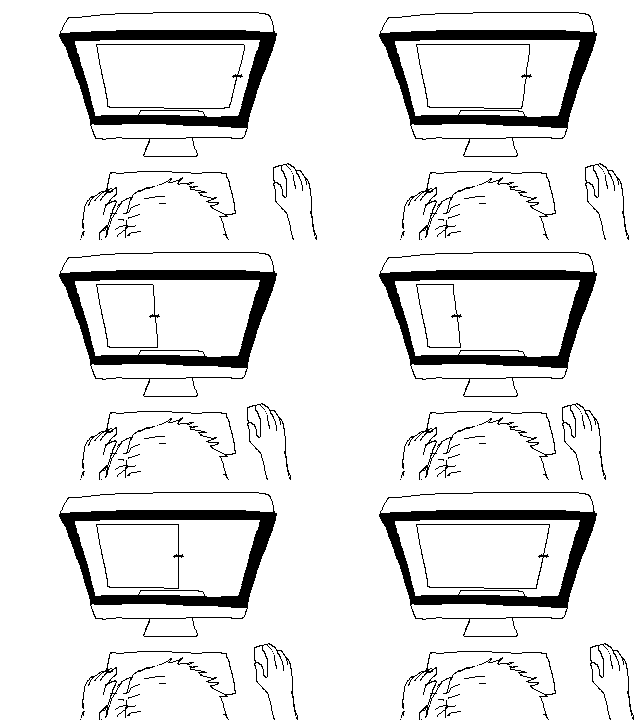
Responsive gif

By now it’s been well drilled into our heads that web design starts with content, not with graphics. However, in practice, getting real content before the design process starts is challenging at the best of times, and it’s made even more difficult by the fact that we have to try to get to content parity across all types of devices.

So to deal with this complexity we come up with more pragmatic guidelines. Mark Boulton’s “Structure First. Content Always.” is certainly a more realistic approach:

You can create good experiences without knowing the content. What you can’t do is create good experiences without knowing your content structure. What is your content made from, not what your content is. An important distinction.

So you have to start with the structure not the words. […] How do we design around the fluidity? Well, we define structure; of our content, and the templates that content inhabits. We define the rules of the system to display the content in different ways (if we can) to help the reader understand the content better.

The problem with all these approaches has always been the same for me: It sounds awesome in theory, but I don’t know how to make it part of our workflow when we’re in the weeds with client work. So we tend to try to make physical things that help us get there1. First we created expanded customer journey maps to define a content plan based on user needs and personas.

That helped a lot, but on the next project we got stuck on content structure again — how do we create different page templates with different types of content, without getting into interaction design too soon? So we came up with the idea of Content Modules: diagrams that show the relative importance and length of different types of content, in a Mobile First context. Here’s an example:

Content Modules

This document has a few key components:

  • Each block outline represent a distinct content chunk that can be used on any other page.
  • The primary call to action is highlighted (in orange in the example above) so that we can easily check for consistency and impact across different pages.
  • Some pages will have optional modules — those are also highlighted (in yellow in the example above).
  • A gap in a column doesn’t mean there’s going to be empty space on the page. This is not a layout diagram. It just shows the relative importance of each chunk. It also allows one to easily compare which page templates have which types of content on the page. This lets you easily spot if there’s some missing content (or unneccesary duplication).
  • Each page template looks like a mobile view. That’s by design. It helps us to move straight into designing mobile views first, using the content hierarchy defined in the document, and then scale that up to larger views.

Creating content modules was the missing step we needed to bridge the gap between the content plan in our expanded customer journey maps, and starting the interaction design / prototyping phase. I was constantly worried that we’d start projects with content at the centre, but then gradually backslide into old ways as the project progresses. This document helps us to move seamlessly from content planning to interaction design, confident that we’re designing on the right content-led foundation.


  1. I’m really trying to avoid the word “deliverables”, but I’m struggling. 

Demanding slower development cycles for apps

Now!

Daniel Jalkut discusses the rate of software/app updates in Stagnation Or Stability?:

As an onlooker, it’s easy to associate dramatic change and motion with competence, and quiet refinement with laziness. We must draw on our own experiences attempting to build great things to appreciate how much work takes place in stillness, to have faith that even though things may appear stagnant, a benefit of frictionlessness is resulting. An app at rest may be in that long, arduous phase of becoming finely crafted.

Daniel’s post is a response to the recent Michael Lopp article R.I.P. Things, in which he explains that he’s dropping Things as his productivity app mainly because of its lack of updates. I’ve been thinking about this a lot. How our expectations about app pricing and rate of change is placing unfair (and damaging) pressure on developers to release new versions of their apps constantly — even if it’s just change for the sake of change.

The other unintended consequence of this never-ending update cycle is that we’re starting to see evidence of what Chris Bowler calls App Fatigue:

I must admit, I’ve felt a bit of what I term app fatigue in the past year. What is this? Simply the lack of desire to either a) pay for another version of an app I already own or b) go through the steps required to update this app and become accustomed to the changes.

My own feelings about this remain wildly erratic at the moment. Sometimes I’m on Michael’s side. Like most people I was champing at the bit for Tweetbot 3, and as much as I appreciated the “It’ll be ready when it’s ready” line, my impatience got the better of me. Yesterday Apple “finally” updated their last built-in app for iOS 7. But we’re still stuck with an ugly WhatsApp, orphaned versions of OmniFocus, Tweetbot and Instapaper for iPad, and a Foursquare that hasn’t been updated in weeks — weeks, I tell you. What up with that? I turned off automatic app updates because I love going to the App Store and checking what wonderful new things I’m going to get today.

And then, at other times, I’m with Chris Bowler. OmniFocus runs my life, so I shouldn’t complain about paying $20 for the gorgeous new iPhone version, but it ended up being quite the grudge purchase. Same with Fantastical 2. And I know that my insatiable hunger for new features every day is probably doing more damage than good. Because Daniel is right: “An app at rest may be in that long, arduous phase of becoming finely crafted.” But if we show up at developers’ doors with pitchforks every couple of weeks, demanding our new features, there is no time for the app to be at rest. Eventually, Experience Rot will set in, and it will be our fault:

As more features are added, it becomes harder to make the overall design coherent and sensical. Soon features are crammed into corners that don’t make sense.

I guess I’m preaching to myself here. I’m hoping to convince myself to be a bit more patient with app developers, and give them the time they need to slow down and refine.

Why Facebook shouldn't try to buy all the things

Last month I posted a theory on how Facebook might get taken down by competitors. From Taking down Facebook, piece by piece:

Facebook is in a classic position where, as a dominant provider of horizontal social services, it is in danger of being taken down piece by piece by several vertical players who provide specific, narrow experiences very well. Facebook has become a social media firehose. It won’t be replaced by another firehose, but by a bunch of different cocktails that users can customize as they please.

Over the past few weeks, a couple of things happened that appears to back up that theory. First, there’s The Guardian report Teenagers say goodbye to Facebook and hello to messenger apps:

Their gradual exodus to messaging apps such as WhatsApp, WeChat and KakaoTalk boils down to Facebook becoming a victim of its own success. The road to gaining nearly 1.2 billion monthly active users has seen the mums, dads, aunts and uncles of the generation who pioneered Facebook join it too. No surprise, then, that Facebook is no longer a place for uninhibited status updates about pub antics, but an obligatory communication tool that younger people maintain because everyone else does. All the fun stuff is happening elsewhere.

And then, of course, there is yesterday’s news that Snapchat Spurned $3 Billion Acquisition Offer from Facebook:

Facebook is interested in Snapchat because more of its users are tapping the service via smartphones, where messaging is a core function. Facebook has rapidly increased the share of its revenue coming from mobile advertising, but said last month that fewer young teens were using the service on a daily basis.

Perhaps trying to acquire all their vertical competitors is the wrong approach for Facebook. Ben Evans summed it up very well in Instagram and YouTube:

So buying Instagram certainly looks like a good trade — it would be worth a lot more if it was selling today. But as a strategic move, it’s looking increasingly irrelevant. Is FB going to buy WhatsApp, Snapchat, Line, Kakao and the next ten that emerge as well? Sure, some of those will disappear, but it doesn’t look like FB will crush the competitors the way it did on the desktop. On mobile, FB will be just one of many.

Just maybe, Facebook might have been better off rethinking the core product instead of buying what turned out to be just one of a swarm of alternative services.

That last sentence is key. Instead of trying to expand their territory, Facebook should fortify their core product and defend that territory to the death. Even though everything was different in 2009, I think the conclusion I drew back then in Why Facebook should forget about Twitter still holds true:

So here is my advice to Facebook: go where your users are. Understand how they use the site, what their needs and behaviors are. Go visit them, talk to them, watch them navigate around, understand why they are there in the first place. And then enhance your platform to fulfill those needs. Build new ways to feel closer to the people in your life. Make it easier to share and discuss media. Build families-only mini-communities. Who knows what you can come up with if you just understand your users and build a web site for their needs?

The positive side of skeuomorphism

From Jared Sinclair’s excellent “Form Follows Function” Is More Complicated Than iOS 7 Thinks, in which he explains why some of the skeuomorphic elements of iOS 1-6 were actually useful:

On iOS, putting function before form is not as simple as paring down icons to a strict grid and color palette. There are functions beyond literal communication that iOS designers must balance. Making icons warm and inviting serves many deeper purposes. It builds your confidence in the device. It makes you feel in control. It sets your mind and thumbs at ease. It communicates through feeling and memory, and when done well, resonates with human experience in a way that PCs never could.

There have been a few other defences of appropriate skeuomorphic elements recently. From Kevin Suttle’s Frame of Reference:

There has been quite a bit of confusion over what skeuomorphism is. Many define it as “creating digital products or interfaces that resemble their physical counterparts”. The goal of skeuomorphic style was to leverage our pre-existing affordances and lend a healthy amount of familiarity and confidence to digital interfaces.

And from Dan Wineman’s must-read Look, and Feel:

Affordances are the baby to skeuomorphism’s bathwater. When they engage our instincts just right, they create an emotional bond, and the unfamiliar becomes inviting. Without them, it’s just pictures under glass. It makes no difference how flat, how deep, how minimal, or how ornate the look-and-feel is if it can’t show us, when we look, how to feel.

So, as it turns out, good design is (still) all about affordance.

[Sponsor] Meet Techi: All the tech news in one place

A big thanks to Techi.com for sponsoring Elezea’s RSS feed this week!

Techi.com is a site dedicated to all things tech. From updates on Sony’s PS4 to reports on Google’s latest acquisition; whether you’re looking for the latest Apple product or looking for views on mobile web, Techi is the site to visit.

Techi.com’s news is sourced from thousands of sites from across the Internet, then curated by an editorial team with their finger constantly on the pulse of the industry’s most vital developments. You also get a quick summary of the news so you save time and read only what interests you most.

In addition to the best news curated from across the Web, Techi.com also offers exclusive original articles and stories featured in the Drudge Report, Reddit, NYTimes, Google news, and many more.

You don’t even have to visit daily. Just sign up for the daily newsletter and get the latest tech news direct to your inbox --- with no fuss whatsoever --- in time for that commute or mid-day coffee.

Don’t spend your morning sifting through RSS feeds looking for the hot news. Go for the instant solution: get it all from Techi.com in less time than it takes to make your coffee.

Sponsorship by The Syndicate.

The forgotten role of teachers in mobile education

The importance of research and participatory design appears to be kind of a theme on the site this week. I just keep running into articles like Sven Torfinn’s How teachers in Africa are failed by mobile learning. He discusses how leaving teachers out of the design process is a big risk:

My concern is that some people use the problems with education systems to justify excluding teachers from the design and development of mobile learning interventions. Teachers’ voices are marginalised. And mobile operators association GSMA (to take just one example) characterises the teaching profession in a way that divorces it from progress and innovation.

The difficulties teachers face are used as a starting point for criticism, rather than as a motivation to address systemic issues. […] It is a mistake to run down teachers’ professionalism to justify technology use in education.

The London International Development Centre puts it this way in Why mobile learning on its own won’t solve the access problem:

We need to move away from the notion that simply because mobile phones are the most available technology to those in the majority world that somehow they will in and of themselves lead to developmental learning. A more sustainable approach is to work within the formal education system, in particular to build the capacity of teachers and practitioners to design and develop mobile learning interventions in country. Only then will they be useful to those whose capability development they aim to support.

If One Laptop per Child taught us anything, it’s the dangers of designing technology without a proper understanding of the context of use. The same goes for the push into mobile education (and mobile anything, for that matter).

There and back again: my journey from iPhone to Galaxy S4 and back

I just got back from an intense but amazing trip to Iran. Every morning when I woke up, this is the first thing I saw:

iPhone unlocked

On the way I home I started writing a post called “iPhone as travel companion”. It was going to be centered around that home screen animation, and how it makes me feel more connected to the people I care about the most while I’m away on business trips. But I was tired, so I only wrote a couple of sentences and then fell asleep (ok, I watched Man of Steel, but that’s kind of the same thing as falling asleep).

When I arrived back in Cape Town, the first SMS I received was from a Samsung PR company:

Hi Rian, this is [redacted] from [redacted]. Your friend [redacted] contacted us and suggested we give you a Samsung Galaxy S4 for a 2 week review to change your mind about how you feel about fruits. Please let me know when and where I can deliver the device to.

A part of me thought, maybe this is fate. Maybe my undying devotion to iPhone is misplaced and this is the universe telling me I should take a trip to a Galaxy far far away (ugh, sorry). So I responded that I’d be happy to try out the device. And I was serious, too. I vowed to try to make it my default device for 2 weeks, and I decided to put my iPhone post on ice until I’ve had a chance to make the Galaxy S4 part of my daily routine.

So I went where no Apple user has gone before (ok, I’ll stop with the awful space movie tie-ins now) and strapped the S4 to my person for a few days. At first, there were some things I liked:

  • Active widgets are great. Seeing a live weather/calendar/mail/etc. view means you don’t have to go into apps to get important information, and that’s really useful.
  • The Gmail app is SO much better on Android than on iPhone.
  • Ok, I guess that’s it.

However, after a while everything started to annoy me about the device:

  • Above all, the scrolling is enough to drive you insane. I opened several apps side by side on the iPhone and Galaxy S4 — Path, Instagram, Facebook, etc. — and flicked my finger on the screens at the same time. iPhone: smooth scrolling, graceful stop. S4: constant choppiness while scrolling (sudden stops and starts), and then it comes to a screeching halt as if someone suddenly slammed on the breaks. The physics of it just feels all wrong on the S4.
  • The screen is too big for one-handed usage. No matter how hard you try, your thumb can’t reach the top parts of the screen, which makes this a two-handed device (well, there’s the bizarre “tiny screen” mode, I guess…). That might be ok for some, but for me it just resulted in frustration and a sore hand.
  • I couldn’t find apps to replace the ones I rely on every day. Sure, the native Twitter, Instagram, and Path apps are fine. But once you go deeper than surface level, the quality apps just aren’t there. Even beyond niche apps I was looking for (like Day One, Notesy, and Reeder), I couldn’t even find a decent calendar app. Now, it might exist, but I just gave up after a while of endless paging in the Google Play store.

Every time I use an Android device it completely lives up to its name: it’s like interacting with a very smart robot. The problem is, that’s not what I want. I want something that connects a little bit more with who I am. And that’s what the iPhone gets right.

So, back to my trip (which you can read about here). My iPhone became my lifeline. I woke up with Rise. I spoke to my family on Skype. I kept up with close friends on Path. I stayed connected through Reeder and BBC News. And yes, I’m sure there are equivalent apps on Android that could replace the ones I use every day on my iPhone.

But here’s the thing.

I don’t want to change. iOS is comfortable. It’s familiar. It keeps improving without changing too much. It feels better — more personal. I know that’s subjective and not quantifiable, but look at that unlock motion effect above. It’s not about accessing a folder. It’s about opening a door to connection. It’s my favorite business travel companion, and you can pry it from my cold, dead hands.

P.S. Google, please make the Gmail iOS app as good as the Android version.

[Sponsor] Squarespace

What do you want people to see when they find you online?

Whether you’re growing a business, starting a blog, or are ready to sell online, you need to make a great impression. Squarespace is the best way to create a modern and professional website, with all the features you need integrated into one platform. Every Squarespace website is mobile-ready, includes e-commerce, and is backed up by award-winning 24/7 customer service.

Try Squarespace today at squarespace.com.

Squarespace

Sponsorship by The Syndicate.

iOS 7 battery life woes

Dr. Drang did some iPhone battery calculations and concludes as follows in The small improvement in iPhone battery capacity:

It’s no secret that Apple has taken pains to make iPhones more and more stingy with power. What I didn’t appreciate until I put this table together was that the ability to still get a day of use out of an iPhone is due almost entirely to improvements in all the non-battery hardware and the software that drives it.

There have been a lot of complaints about battery life under iOS 7 — myself included:

7.0.1 please come soon to make my battery last past noon

— Rian van der Merwe (@RianVDM) September 22, 2013

There has also been a slew of articles on how to improve battery life under iOS 7, the most helpful being The Huffington Post with 9 Ways To Improve iOS 7’s Battery Life. Although some might argue that this advice from Yahoo! is the best solution:

iOS 7 battery life

That said, Dr. Drang’s points are interesting, and his article is well worth reading. It seems that improving software is an easier way to improve battery life than changing the actual hardware is. But I do hope we see some hardware improvements soon, too, because it’s really starting to cripple the phone. If you have to turn off essential features just to make it through the day, something is not right.