Menu

Posts tagged “productivity”

Books on screens, and digital marginalia

Clive Thompson’s essay on the experience of reading War and Peace on his iPhone is just so, so good:

The phone’s extreme portability allowed me to fit Tolstoy’s book into my life, and thus to get swept up in it. And it was being swept up that, ironically, made the phone’s distractions melt away. Once you’re genuinely hankering to get back to a book, to delve into the folds of its plot and the clockwork machinations of its characters, you stop needing so much mindfulness to screen out digital diversions. The book becomes the diversion itself, the thing your brain is needling you to engage with. Stop checking your email and Twitter! You’ve got a book to read!

He seamlessly blends thoughts on the reading experience with impressions on the book and revelations on the differences between reading physical books vs. ebooks. (Spoiler: it turns out reading books on screens isn’t as bad as some might want us to believe…)

I especially liked this idea he mentions towards the end:

By the time I was done with War and Peace, I had amassed 12,322 words of highlights and marginalia. It was a terrific way to remind myself of the most resonant parts of Tolstoy. Indeed, I so enjoyed revisiting those notes that I wanted a paper copy of them. Using the Espresso print-on-demand machine at the McNally Jackson bookstore in New York, I had the notes printed up as a small 84-page paperback. It sits on my shelf, a little compilation of my reading and thinking — or, as I titled it, War in Pieces.

This is something I want to do for the books I read as well, so I took to Twitter to ask Clive how he did it.

In addition to his response (he exported text from Kindle Highlights into InDesign), the folks at Clippings.io chimed in to tell us about their service1. Clippings lets you import your Kindle highlights and notes, organize them, search them, and best of all: you can export to PDF if you want a nicely-printed version. I signed up immediately and I’m really liking it so far.


  1. This is one of the few times I’ve experienced a “brand” stepping into a conversation in a really helpful way. Social media people, take note! 

Advice for people who thought flying was fun and then realized how awful it is

I really enjoyed Craig Mod’s How to survive air travel and Cennydd Bowles’s Advice for people who aren’t exactly afraid of flying but aren’t exactly unafraid of flying either. That said, I don’t agree with all their points, so I thought I’d keep this thing going by writing about my own self-imposed list of travel rules. If you learn one thing from all these lists, let it be this: people who spend time on airplanes think about being on airplanes a lot.

In my opinion the main ingredient to a reasonably bearable flying experience is to spend as little time in the airport and on the plane as possible. Anything you can do to minimize the time you spend getting from origin to destination will have a direct effect on keeping your rage levels under control. So that’s the lens through which my advice should be seen. It’s all about minimizing the pain.

So, here we go.

If you travel in the US, sign up for TSA Pre. It costs $80, it lasts 5 years, and it lets you get through security without removing any clothes or laptops. The line is also always shorter than the general security line, so it rarely takes more than 5 minutes to get through.

Set an alarm to remind you when it’s time to check in online. That way you can usually get a reasonable seat (more on seats later), and you can avoid lines at the airport (more on that later, too).

Never check luggage. If you have a long trip and don’t think you can fit everything into a carry-on bag, make a plan. Go to a laundromat half-way through the trip. Wash clothes in the shower. Just do whatever it takes to avoid standing in check-in lines. Remove the ability for an airline to lose your bag or make you miss a connection. Don’t wait 30 mins at baggage claim when you could have been at your destination already. People who check their luggage is where the phrase “sometimes bad things happen to good people” comes from. I use a Tumi Alpha 2 International Expandable Carry-On and I really like it.

There is one big area where I diverge from Craig and Cennydd’s advice. They tell you to get to the airport way early. I’m telling you to get there dangerously close to your flight. I aim to be at the airport 45 minutes before the flight leaves. That gives me just enough time to get through security and walk up to the gate without standing in any lines (remember: you’re checked in already and you have TSA Pre). This is a dangerous art, but worth pursuing. The holy grail is getting out of the cab and walking straight on to your plane without having to stop or run once.

Bring your own food. Airport shops always have lines, and airplane food is gross.

Choose an aisle seat, always. As far to the front as possible, always. The photos you get from the window seat will get you over the “20 likes” barrier on Instagram, but it’s not worth it when you have to go to the bathroom and the person next to you has their 17” Dell laptop open and is working on an intricate Excel spreadsheet. Also, aisle seats get you out of the plane faster.

Noise-canceling headphones are more magical than they appear. It’s amazing how the lack of constant droning in your ears helps to reduce fatigue. I like the Bose QuietComfort 20i headphones because they have a button you can push that lets you hear announcements/flight attendants without removing the headphones.

And finally, the most important piece of advice I can give you: If at all possible, avoid flying altogether.

Maybe offices aren't so bad, after all

Jamie Hodari makes the point that the recent blowback against office spaces (and open office plans) might be slightly overblown. She asks, Is Working Remotely Sapping Your Creativity?

A creative work life requires social relationships and serendipitous interactions. It requires contending with ideas you don’t agree with. It requires getting up and moving around. As a result, it’s becoming increasingly clear that for many people, working at an office isn’t a relic of a pre-digital age, but a vital element in reaching their creative potential.

Bumping into coworkers, chatting in hallways, sitting down over lunch, a day at the office results in dozens of interactions everyday. The result, shown both anecdotally and in statistics, is more creativity and greater effectiveness. For instance, in one study tracking the behaviors of a sales team of a pharmaceutical company, “when a salesperson increased interactions with coworkers on other teams … by 10%, his or her sales also grew by 10%.” Cross-functional, seemingly spontaneous interaction facilitated greater effectiveness on the part of workers–something that would not have been possible had sales representatives been working from their homes.

The fallacy of the full-stack employee

Elea Chang takes on the “full-stack employee” idea in a great critique called The Full-Stack Employee and The Glorification of Generalization:

Hidden inside that “full-stack employee” manifesto is the idea that tech equals work and work equals life. Despite all the talk of learning and growing, the full-stack employee is primarily focused on conquering domains within the tech industry. But there have always been ways to impact the world outside the workplace. Unfortunately, the continuous pursuit of professional skillsets tends to diminish the boundaries between work and everything else, leaving you with less and less time to actually grow as a human being.

I’m very much in agreement with this. Many companies still go out of their way to reward people who work extra long hours, even if that comes at the expense of time spent with family (or, as Elea points out, volunteering outside of work).

Blogging with Pinboard

I’m a long-time Pinboard fan, and from the moment I became a paid user I couldn’t shake the feeling that it is one of the most underrated services out there. It’s basically the center of my personal internet. I have years of articles tagged and cached, and available immediately whenever I need to remember something. For me, it represents the best of what technology has to offer as an “external brain”1.

But it’s even more powerful than that. I recently started wondering if Pinboard could become more central in my blogging workflow as well. My flow when I find an article I want to write about used to be two steps: (1) save to Pinboard, and then (2) start a new text file (with an excerpt from the article) and start writing.

Since I don’t always have time to write immediately after I read something, the disjointedness of these two steps means that I forget to post articles sometimes — or that I can’t remember which part I want to write about. So I needed a way to save Pinboard links for later, in a way that lets me pick up writing whenever I have time.

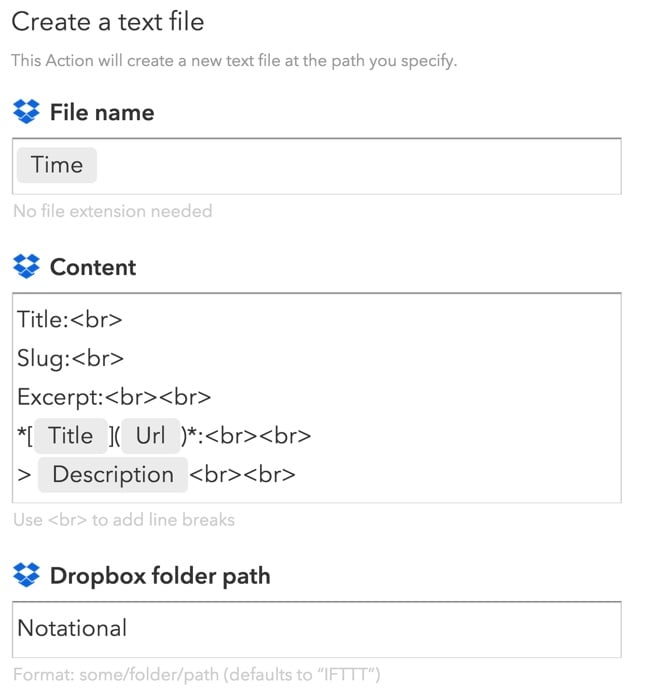
The solution I came up with isn’t rocket science, but it has made such a big difference to the way I write that I wanted to share it here. The key is a simple IFTTT recipe that takes any new link I save to Pinboard and creates a Markdown-formatted text file that I can use to start writing whenever I want to.

Here is a link to the IFTTT recipe: Post any new Pinboard link to a new text file in Dropbox.

And this is what it does:

Pinboard and IFTTT

I always put a pull quote in the “Description” field when I save a Pinboard link, so the recipe creates a text note with a Markdown-formatted URL, the pull quote, and space for me to add a title, slug, and excerpt once I’m ready to post to the site. Putting the note in a Dropbox folder means I can continue typing and editing on any device — I use Editorial on iOS and nvALT on Mac.

As for posting… I still haven’t found a mobile blogging platform that works for me, so even though I write many posts on my iPhone or iPad, I still post exclusively from MarsEdit. So I also went one step further and made a Keyboard Maestro macro (download here) that transfers the text from nvALT to MarsEdit as soon as I’m ready to post.

You know, the internet is pretty cool sometimes.


  1. Clive Thompson discusses the idea of external memory in detail in his excellent book Smarter Than You Think

The Apple Watch won't save you time

Matthew Panzarino wrote something that historians will reference in thinkpieces on Medium 40 years from now. From The Apple Watch Is Time, Saved:

And that is the target market of the Apple Watch. Not “rich people” (though there’s a model specially for them), not “tech geeks” and not “Apple fanatics.” It’s people who want more time, and that is a very large target.

This, for some reason, is the thing that Apple has had a hard time articulating. This is the primary use case of the Watch. It’s not just that it’s a “notification center”; it’s that it allows you to act without any additional distraction.

The idea that some new technology will give us more time to do “other stuff” is as old as technological innovation itself. By now we should have learned that no, actually, this time isn’t different. But we’ll never learn. We approach every new technology with starry eyes and hopes and dreams of a life less time-consuming. When I read something like this, I always think about this classic scene from Arrested Development:
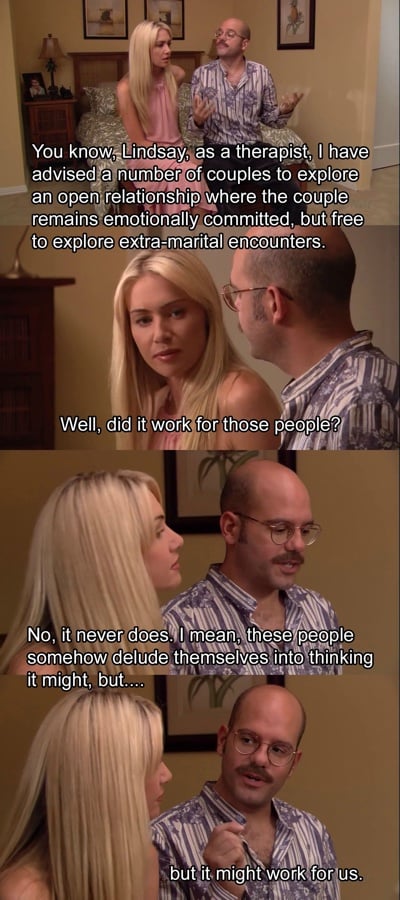
It might work for us

In just one of several historical examples of the time-saving delusion, John Maynard Keynes published an essay in 1930 called Economic Possibilities for our Grandchildren [PDF], in which he predicted that technological innovation will save people so much time that they won’t know what to do with themselves:

Thus for the first time since his creation man will be faced with his real, his permanent problem—how to use his freedom from pressing economic cares, how to occupy the leisure, which science and compound interest will have won for him, to live wisely and agreeably and well.

That, alas, has not happened. We are busier than ever these days. Instead of giving us more time, our technologies have instead given us more ways to be connected, to stay in touch with work, to never have to leave the office. I don’t see how one can argue that the Apple Watch will reverse this trend.

What the Apple Watch will do instead, I believe, is to accelerate a different trend, described by Douglas Rushkoff in Present Shock:

Our society has reoriented itself to the present moment. Everything is live, real time, and always-on. It’s not a mere speeding up, however much our lifestyles and technologies have accelerated the rate at which we attempt to do things. It’s more of a diminishment of anything that isn’t happening right now—and the onslaught of everything that supposedly is.

I’m not saying the Apple Watch won’t be wildly successful, or that I don’t want one — I definitely want one. I just don’t think we should fool ourselves into thinking it will somehow give us more time because we might look at our phones less. If history teaches us anything, it’s that we’ll find a way for the watch to fill up our “saved” time in other ways — and then some. And in doing so we’ll continue on the path Kevin Kelly lays out in his excellent book What Technology Wants:

Our lives today are strung with a profound and constant tension between the virtues of more technology and the personal necessity of less: Should I get my kid this gadget? Do I have time to master this labor-saving device? And more deeply: What is this technology taking over my life, anyway? What is this global force that elicits both our love and repulsion? How should we approach it? Can we resist it, or is each and every new technology inevitable? Does the relentless avalanche of new things deserve my support or my skepticism—and will my choice even matter?

That said, this post is only about the first version of the Apple Watch. The next watch is a different story. The next watch might be the one that finally saves us time. Just wait. You’ll see.

My favorite indie web services

I recently realized that the web services I love and use the most are all run by indie developers or small companies. While I ponder what that means, I thought I’d do my little part to tell you about them in case you’re in the market for one of these things.

These are all services I’ve used for a while and have no intention of leaving. Unless they shut down. PLEASE SUPPORT THEM SO THEY DON’T SHUT DOWN.

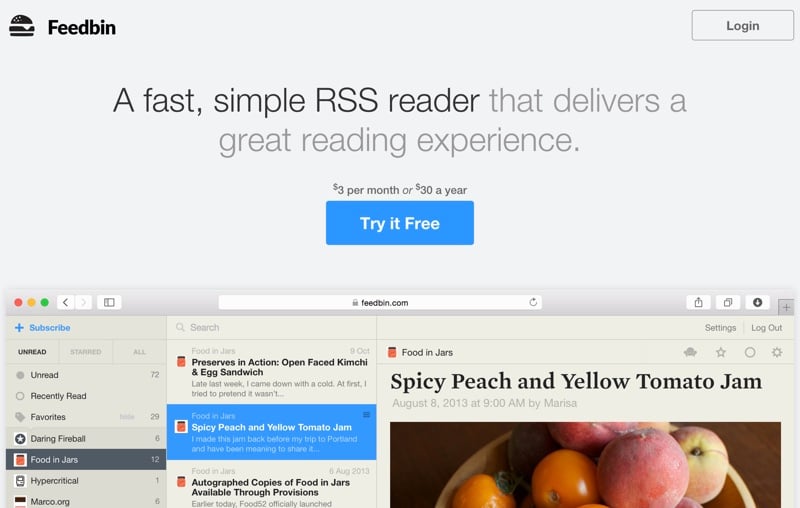
  • I use Feedbin as my back-end for RSS reading. It’s solid. It always updates fast, it never goes down, and it works with a pretty much any RSS reader you can think of. I tried Feedly, but it’s not for me. Too many gimmicks I don’t need.
  • Speaking of which, I use Reeder as my front end for RSS reading. Beautiful UI, great integration with services.
  • Anyone who’s paying attention knows that Feedburner is on its way out. So a while ago I moved my site’s RSS feed hosting to Feedblitz. It’s not worth linking to them — it was a terrible mistake. Shady “growth hacking” marketing techniques, impossible to work with on support issues, etc. Don’t do it. I have since switched to FeedPress and I’m really happy with it. I do think there’s still a gap in the market for a really good Feedburner replacement, but Feedpress does an admirable job for now.
  • Pinboard is still the backbone of everything I do online. It’s basically my external memory. I don’t know how I would internet without it.
  • Instapaper is not a one-person band any more, but it’s still my “read later” service of choice. I dabbled in Pocket for a while, but I keep coming back to Instapaper for the no-nonsense UI and focus on typography.
  • When it comes to writing, my favorite tools remain MarsEdit (blog writing and editing), nvALT (text editor), and Marked 2 (Markdown viewer).

I really hope these developers continue to make enough money to focus on these fantastic projects. I also hope they know how many people they’re helping every day with the things they dream up. Thank you, to all of you.

Sorry, I can't talk right now

The Economist tries to answer the question Why is everyone so busy? and it doesn’t tell a pretty story about ourselves. It starts with the economics of it:

When people are paid more to work, they tend to work longer hours, because working becomes a more profitable use of time. So the rising value of work time puts pressure on all time. Leisure time starts to seem more stressful, as people feel compelled to use it wisely or not at all.

This part makes us sound like terrible human beings, but it’s hard to disagree with:

The explosion of available goods has only made time feel more crunched, as the struggle to choose what to buy or watch or eat or do raises the opportunity cost of leisure (ie, choosing one thing comes at the expense of choosing another) and contributes to feelings of stress. The endless possibilities afforded by a simple internet connection boggle the mind. When there are so many ways to fill one’s time, it is only natural to crave more of it. And pleasures always feel fleeting.

And of course we tell ourselves that one day it will be different:

Writing in the first century, Seneca was startled by how little people seemed to value their lives as they were living them—how busy, terribly busy, everyone seemed to be, mortal in their fears, immortal in their desires and wasteful of their time. He noticed how even wealthy people hustled their lives along, ruing their fortune, anticipating a time in the future when they would rest. “People are frugal in guarding their personal property; but as soon as it comes to squandering time they are most wasteful of the one thing in which it is right to be stingy,” he observed in “On the Shortness of Life”, perhaps the very first time-management self-help book.

This is a long article and I know you’re busy, but try to make time for it…

The challenge with remote work is what happens next

Sticking with the theme of remote work, Steven Sinofsky wrote a great post called Why Remote Engineering Is So Difficult!? There’s a lot of food for thought, but here’s the main issue:

The core challenge with remote work is not how it is defined right here and now. In fact that is often very easy. It usually only takes a single in person meeting to define how things should be split up. Then the collaboration tools can help to nurture the work and project. It is often the case that this work is very successful for the initial run of the project. The challenge is not the short term, but what happens next. […]

If I had to sum up all of these in one challenge, it is that however you find you can divide the work across geography at a point in time, it simply isn’t sustainable. The very model you use to keep work geographically efficient are globally sub-optimal for the evolution of your code. It is a constraint that creates unnecessary tradeoffs.

Projects often start off ok, but then start to unravel as every small miscommunication and missed messages add up to a much bigger problem. I find this stuff fascinating not just because I work at Jive (where we don’t use email at all), but because we’re seeing such an explosion of remote work everywhere as our tools keep getting better and better.

Steph Yiu’s post Still figuring it out: communicating remotely with lots of people is another good one to read, since she walks through all the tools they use to get their work done. Our setup at Jive is very similar, except that we use our own tool where they use P2 (their Wordpress intranet theme).

Technology and time fixing vs. time working

I really enjoyed Eddie Smith’s The ascent of failure, a post on the many ways our technology can fail us. He starts off with a parenting story that’s infinitely relatable, and goes on to make some good points about how fiddly we’ve become with our technology:

With Yosemite and iOS 8, we have even more interdependence through features like Handoff. Now, a MacBook, iPhone, and iPad are no longer three things but a system of things—an ecosystem with an even higher chance of failure by virtue of sitting atop an ever-rising house of cards.

I think it’s worth pondering the time we spend fixing our tools and toys versus the time we spend solving problems and actually getting to play.

I’m not convinced that having complex tools is a necessary condition for achieving remarkable results.

Maybe this non-complexity is another reason why vinyl is seeing such a revival. Or why paper notebooks are making a strong comeback, spurred on by brands like Field Notes, Moleskine, and the one I personally use (and love): Baron Fig.