Menu

Posts tagged “design”

Using ethnography to build better products

Craig Mod’s essay on doing design ethnography in Myanmar is so far my favorite piece of writing of the year. In The Facebook-Loving Farmers of Myanmar he shares some notes about the team’s visits and interviews:

There is a phrase repeated over and over again during my time in Myanmar: From no power to solar, from no banks to digital currencies, from no computers and no internet to capable smartphones with fast 3G connections. It is the mantra of consultants working in these emergent economies. And these emergent economies have one colossal advantage over the entrenched and techno-gluttonous west: There is little incumbency.

There is, however, instability—in government and currency. It’s one of the reasons why a country like Myanmar is just now getting these connections, these devices. The instability significantly increases risk for outside investors and companies. But the residual effect of that instability is a lack of incumbency and traditional infrastructure. And so there is no incumbent electric giant monopolizing rural areas to fight against solar, there is no incumbent bank which will lobby against bitcoin, there are no expectations about how a computer should work, how a digital book should feel. There is only hunger and curiosity. And so there is a wild and distinct freedom to the feeling of working in places like this. It is what intoxicates these consultants. You have seen and lived within a future, and believe—must believe—you can help bring some better version of it to light here. A place like Myanmar is a wireless mulligan. A chance to get things right in a way that we couldn’t or can’t now in our incumbent laden latticeworks back home.

It’s a long article, and it should be. There’s so much insight here, just from spending a few days with people observing, listening, understanding. I don’t understand why this truth is so hard for some product leaders to understand:

A common mistake in building products is to base them on assumptions around how a technology might be adopted. The goal of in-field interviewing in design ethnography is to undermine these assumptions, to be able to design tools and products aligned with actual observed use cases and needs.

Just imagine how different the world would be—and what incredible products we’d be able to build—if we always took the time to understand users and their needs in this way first.
The convergence of Product Management and User Experience Design

Melissa Perri in Changing the Conversation about Product Management vs. UX:

Product Management with no User Experience Design creates functional products that don’t make users excited. User Experience Design with no Product Management produces delightful products that don’t become businesses.

I have a few quibbles with this article (including the idea that the role of UX is to make users excited…), but I like this quote because it ties in with a common theme I write about: the importance of combining both user needs with business goals to create successful products.

Service design for airport restrooms

The Transportation Research Board (TSB) recently published a 100-page PDF called Guidebook for Airport Terminal Restroom Planning and Design. If I know anything about the readers of this site, it’s that this is the kind of stuff we live for. Service design for airport toilets? Sign us up!

Ian Bogost provides a handy summary of this delightful document in The Airport Restroom of the Future:

The TSB report ends with an appendix on the “Airport Restroom of the Future.” After a surprisingly detailed history of public toilets, the TSB concludes that gender-neutral restrooms would offer travelers the most relief. Not only would they better address evolving gender identity norms, but they would also reduce congestion, maintenance, and accessibility by foregoing the barriers that help create the constriction of today’s restrooms. The TSB’s mockup puts individual sink basins in stalls to avoid flow to a common sink area, and adds a spacious waiting area flanked by two “art vitrines.”

I doubt airports care much about this, but it’s at least nice to see the TSB investing in this kind of service design research.

Wisdom quotes for the rest of us

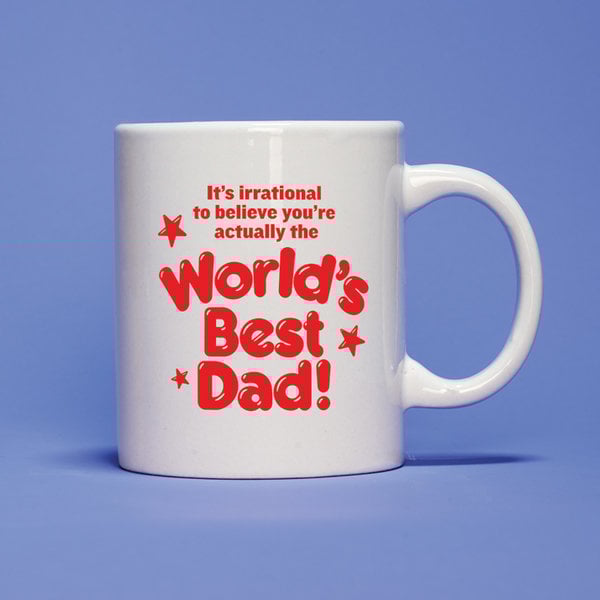
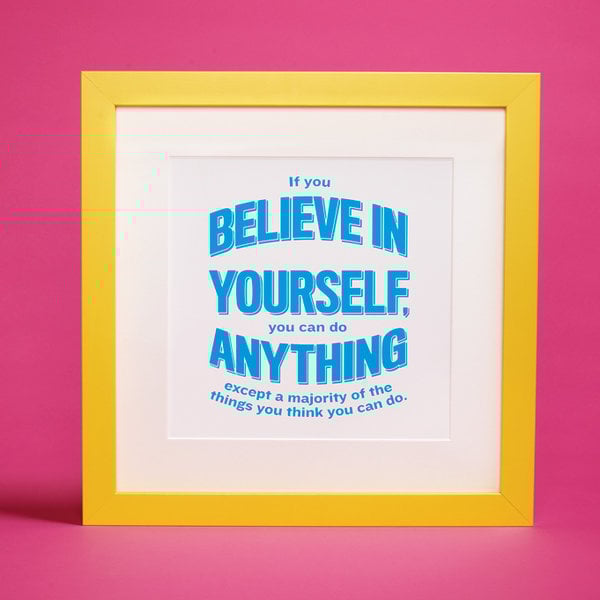
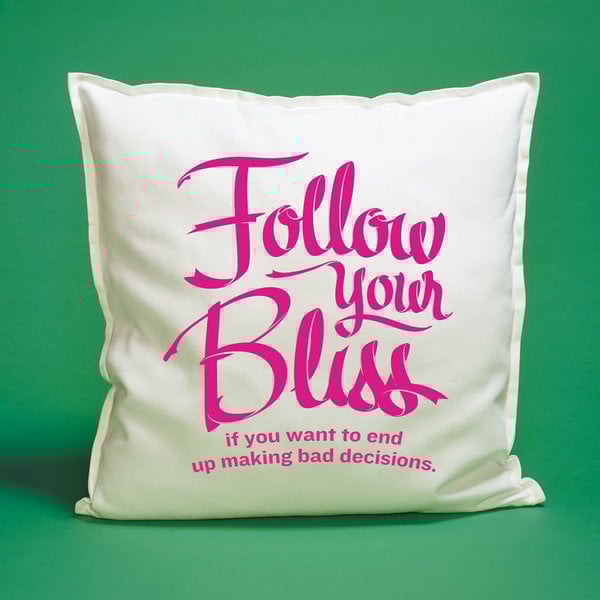
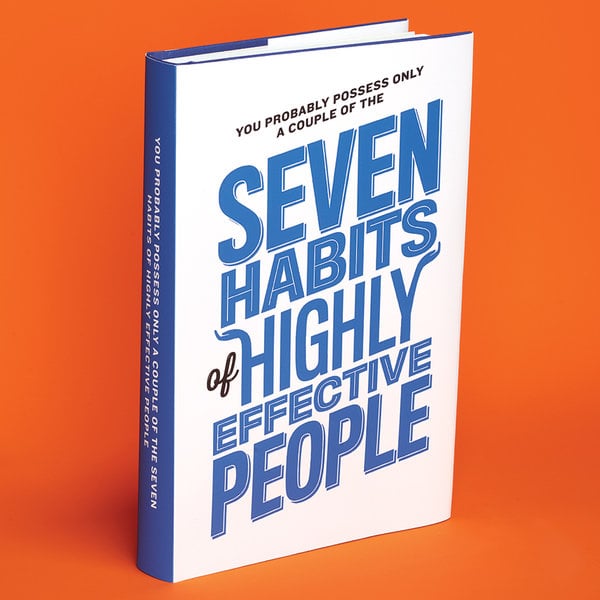
Jennifer Kahn’s The Happiness Code, an article about bringing rationality to self-improvement, is interesting in and of itself. But it’s Hannah Whitaker’s photo illustrations with lettering by Luke Lucas that really drew me in. I’m sure many of you despise pithy “wisdom quotes” as much as I do. So these are like smooth balm to a tortured soul.

Wisdom

Wisdom

Wisdom

Wisdom

You can see more of Hannah’s excellent work here. Luke’s personal website with some his great graphic design projects is here.

Utility is more important than usability

I’ve long held Jakob Nielsen’s Useful = usability + utility formula in high regard. The Introduction to Usability article it comes from is still one of the best intros to user experience I’ve seen. That said, I’ve recently started to wonder about the ideal ratios on the right side of the equation. What combination of usability and utility results in the most useful product? Is it a 50/50 split? 70% usability, 30% utility? It’s a purely academic exercise because there’s no way to prove any of it, but it did lead me to a theory:

I believe that utility (whether a product provides the features users need) is initially more important than usability (how easy & pleasant these features are to use) in product design.

Let me say right up front that I’m not saying usability isn’t important. I’m just saying that when it comes to a product being used extensively (and payed for) by users, it is more important to get the utility right from the start. Users will struggle through bad usability (up to a point), but they won’t use a wonderfully usable product that doesn’t serve a real need (see Path).

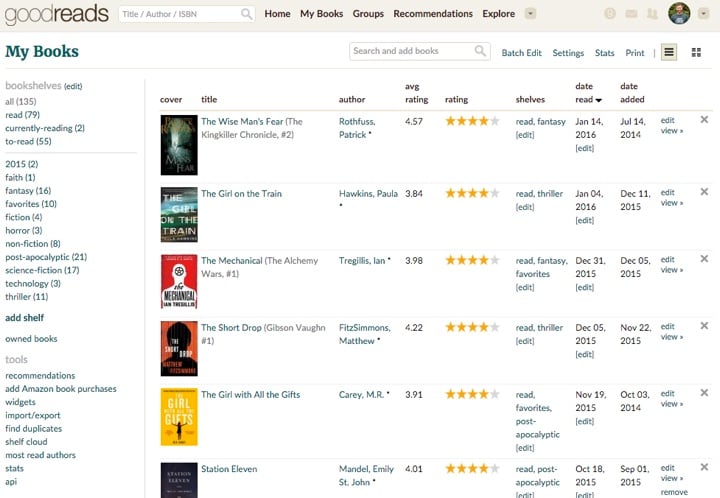
I’ll give two personal examples to back up this view1. My favorite social network at the moment is Goodreads. The site is slow, the UI is confusing, and the mobile apps make me feel completely lost, and yet I keep coming back to it. Because Goodreads is extremely good at what it does: helping me find books I’d enjoy, and letting me share good books with friends.

Goodreads

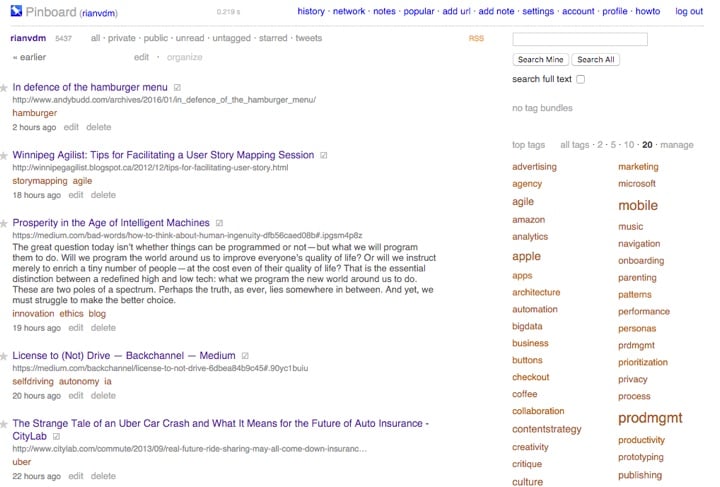
The second example is Pinboard. If I could take only one website with me to a deserted island it would be Pinboard. I use it more than any other online service. It helps me save, categorize, and find all the useful articles I’ve read over the 5 years I’ve been using it. The UI has tons of little weird quirks, and it’s very much barebones. But that doesn’t matter. It’s indispensable to me, so I care very little about its usability.

Pinboard

These two examples lead me to a second theory:

The more utility a product has, the less its usability matters.

I like Goodreads, but at some point if the usability becomes too frustrating, I’ll just leave. For Pinboard, on the other hand, I’ll walk through usability hell and back just to keep using it. It’s that essential to my work.

I’ve said this a few times in this article, but let me reiterate: I’m not, for a second, saying that usability isn’t important. I’m proposing that if you have a product that has insane levels of utility, its usability becomes a secondary factor in its success. To put it another way, the ROI on increasing utility is probably much higher than the ROI on improving usability.

The moral of the story is this: first find an idea that people can’t live without, then make it a beautiful, usable product. It’s very difficult to do it the other way around.


If you liked this article, you can sign up to get an email every Friday with all new posts that appeared on the site that week. You can, of course, unsubscribe at any time.

#mc_embed_signup{background:#fff; clear:left; font:14px Helvetica,Arial,sans-serif; } /* Add your own MailChimp form style overrides in your site stylesheet or in this style block. We recommend moving this block and the preceding CSS link to the HEAD of your HTML file. */


  1. That’s how science works, right? 

The significance of gif culture

I was lucky enough to see Sha Hwang’s brilliant closing keynote at UX Burlington 2015 about his work on Healthcare.gov. So I was excited to see that Sha just posted a recent talk he did called Digital Materiality, a short reflection on gifs and gif culture:

gifs are a dumb, limited file format, and in the end this is why they are  important: they do not belong to anyone. because of their constraints they become a design material, to be played with, challenged, and explored.

Needless to say, there are some really good gifs in that talk…

Entity-relationship modeling as a starting point for product design

It’s been roughly 15 years since I made an entity–relationship model, so it is with great surprise that I sat in a meeting the other day and thought to myself “This project needs an ER model before we can do anything else.” I almost asked out loud, “WHO SAID THAT!?” But once I got over the initial shock I realized that my subconscious isn’t completely full of crap (this time).

But let’s back up. I’m working on a project to combine a variety of different back-end services into a single product. As we were talking about it and the discussion shifted to design, I realized that before we could create user journeys and get started on the interaction design we first needed to understand the relationships between the different entities in those services. I worried that without that model, we’d get ourselves tangled up really quickly.

So I brushed up on my theory1 and got to it. First, the obligatory definition:

[An] entity–relationship model (ER model) is a data model for describing the data or information aspects of a business domain or its process requirements, in an abstract way that lends itself to ultimately being implemented in a database such as a relational database. The main components of ER models are entities (things) and the relationships that can exist among them.

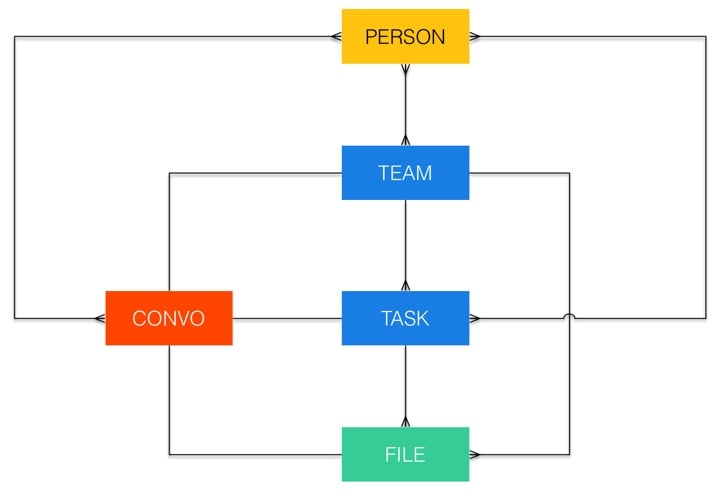
This is a tool that’s primarily used as the first step in relational database design. But I found it really useful for us to define the constraints within which we could create user flows. Let me explain with an example. Here’s a simplified version of the ER model we came up with for this project (using Crow’s foot notation):

Entity-relationship model

Each color represents a different back-end service. Here’s a subset of what the diagram tells us:

  • A team can have multiple tasks, but each task can only be assigned to one team.
  • A task can have multiple files associated with it, but each file can belong to only one task (or team).
  • A person can be part of multiple teams, and a team is made of multiple people.
  • There is a 1:1 relationship between teams, tasks, files, and the conversations about those entities.
  • Outside of those relationships, a person can be part of multiple conversations, and a conversation can consist of multiple people.

If all this sounds a little bit boring, I hear you, but here’s the power of this diagram: it ensures that whatever UI we come up with serves the underlying entity relationships, and not the other way around. This is huge. For example, if we started with the UI we might say that users can attach files to a task or project within the product’s main interface. But since a 1:1 relationship exists between Conversation and File, it means we can also attach a file to a task by dropping it into the Conversation view of that task. The relationships help us to come up with the most useful and robust UI.

What essentially happens if you start UI design with an ER model is that you create the boundaries of what’s “allowed” in the UI. It pushes you to think up useful ideas without the danger of coming up with something that wouldn’t work in the final implementation.

I don’t think ER models should be the starting point of every project. But in certain specific cases where many disparate products or services need to come together it’s proved to be really useful.

And now, on to journey mapping…


  1. Ok fine, I read the Wikipedia article. 

New article on UX Booth: The future of 3D Touch

I just published my first article on UX Booth. For The Next Step for 3D Touch I did some digging on where we might be headed with the 3D Touch feature in the new iPhones. I got particularly fixated on the idea of reducing an app’s UI to only the icon on the home screen:

So what would happen if 3D Touch became an app’s main UI? What could happen if we created apps solely comprised of shortcut actions and dynamic actions—and nothing else?

Read on for more…

Can software ever be done?

My latest column for A List Apart was published today. From The Analog Revolution:

So I wonder. I wonder what would happen if we felt the weight of responsibility a little more when we’re designing software. What if we go into a project as if the product we make might not only be done at some point, but might be something that lasts for a while? Would we make it fit into the web environment better, give it a timeless aesthetic, add fewer unnecessary features, and spend more time considering the consequences of our design decisions?

It’s not the best thing I’ve ever written, but I have to say, it’s one of my favorites. This is something I’ve been thinking about for a very long time, and to condense those thoughts into just over 1,000 words that include subtle references to The Hobbit and Zoolander feels pretty good.

How to display threaded discussions on the web

I’ve been doing some work on threaded discussions and comment threads in our web and mobile apps, and I thought it might be useful to summarize some of my findings here. The particular issue we’re trying to address is how to deal with infinitely threaded discussions, like the kind you find on Hacker News and Reddit1:

Infinitely threaded comments on Reddit

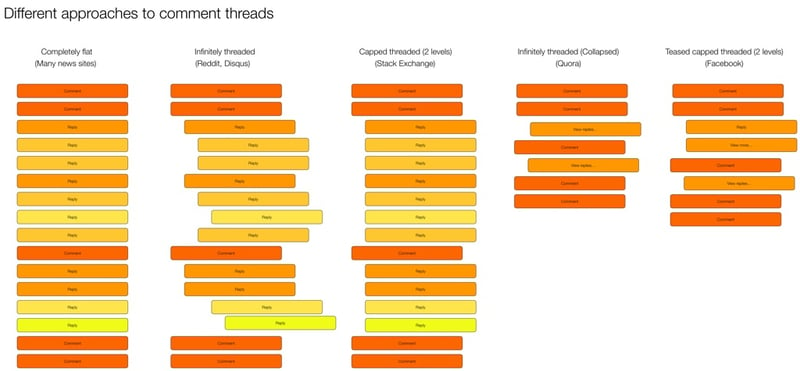
The first thing I did was some research on the different approaches currently used on the web and mobile for discussions and comments. There are some weird outliers, but in general there are five major ways threads are handled:

Threaded discussions on the web

I did some further digging and came up with the following list of pros and cons for each approach.

Completely flat

  • Example: New York Times
  • Pros:
    • Easy to navigate—just scroll down
    • Content not pushed off screen
  • Cons:
    • No context available
    • Difficult to follow conversation or see what a comment/reply refers to

Infinitely threaded

  • Example: Reddit
  • Pros:
    • Context always visible
    • Can have deep side conversations
  • Cons:
    • Difficult to navigate
    • Hard to find new replies on a thread
    • Pushes content off screen (as threading continues to reduce column width)
    • Doesn’t let you decide which tangents (reply threads) you want to dig into2

Capped threaded

  • Example: Stack Exchange
  • Pros:
    • Sets expectations that replies can’t go on forever
    • Keeps context visible (up to a point)
    • Content not being pushed off the screen
  • Cons:
    • Deeper levels of replies not possible

Infinitely threaded (collapsed)

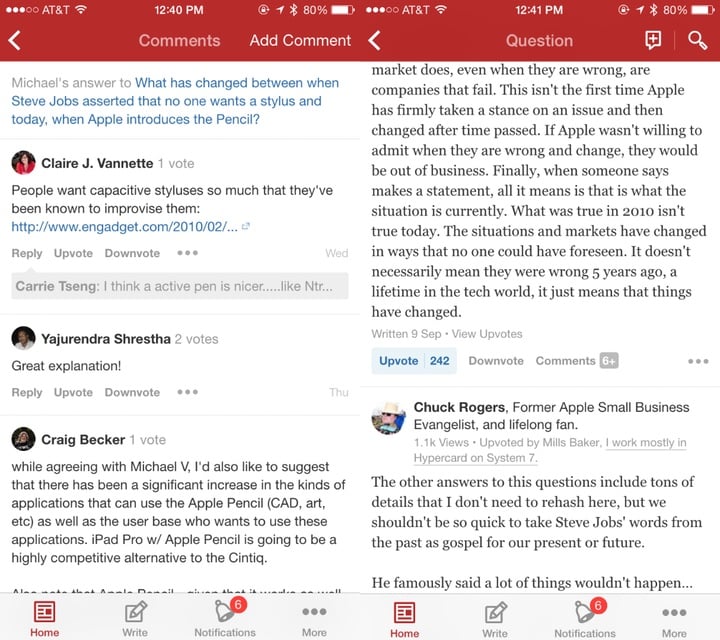
  • Example: Quora
  • Pros:
    • Context available on demand
    • Easy to scroll and decide which tangents to go off on
    • Less cognitive load to scroll through
  • Cons:
    • An extra action needed to view context

Teased capped threaded3

  • Example: Facebook
  • Pros:
    • Context available on demand
    • Easy to scroll and decide which tangents to go off on
    • Less cognitive load to scroll through
    • Can highlight relevant content as teasers
  • Cons:
    • New comments in thread can be confusing without their context

Our approach

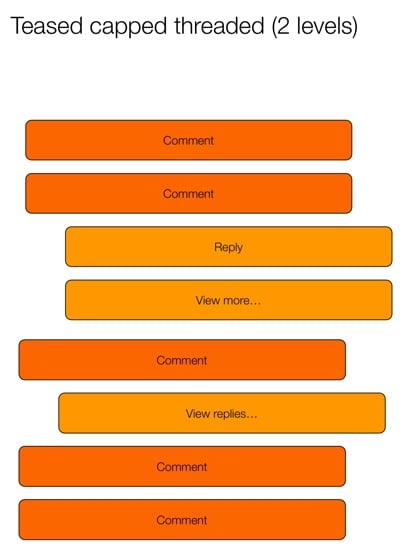
All design in a business is compromise. In our case, we need to figure out what we’re willing to gain, and what we’re willing to give up for it. In our case, our existing product uses infinitely threaded comments. So any change from that will obviously be… complicated. But considering that we want a single approach on mobile and web, it currently looks like we’re going to go with the Teased capped threaded approach:

Teased capped threaded

This seems to strike the best compromise between easy scanning and the ability to drill into specific conversations. The “teaser reply” is particularly interesting, because it opens up some neat ways to provide relevant content to users. Perhaps you show the first unread reply, or the latest reply by someone you follow, or the most-liked reply. We’re still trying to figure out what would be most useful.

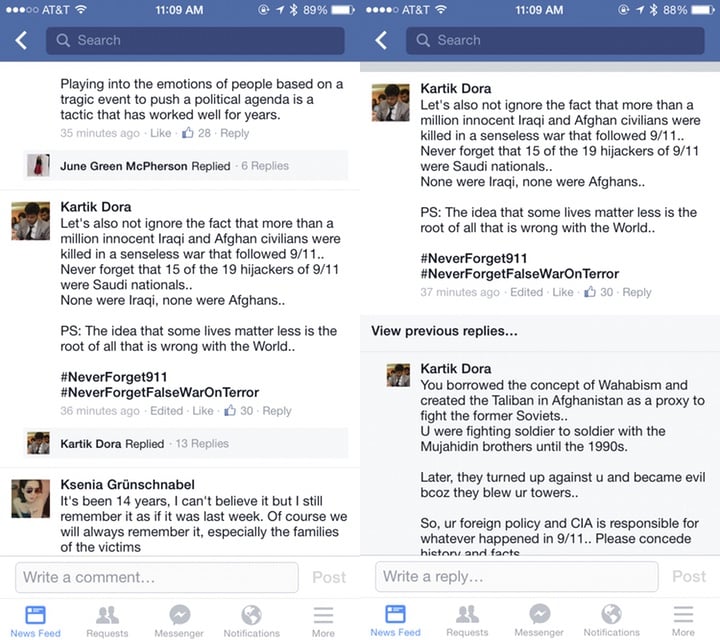
Another outstanding issue is if/how to deal with this approach differently on desktop and mobile. Some apps (like Quora and Facebook) split the view into two pages. The first page has the content and the first level of comments, and the second page has only the reply threads. In digging into it a bit more, it looks like this is mostly to make the app more performant. Here’s how Facebook does it:

Facebook comments

And here’s Quora:

Quora comments

Youtube, on the other hand, does it all on one page:

Youtube comments

We’ll need to dig into the performance issue, but my preference would be for a single page with truncated replies, like YouTube does it. Our current working hypothesis for a good solution is this:

  • Show entire comment thread on the same screen (replies not on a separate screen) to make the flow better (easier to scan and dig into individual threads)
  • Cap each individual comment at 5 lines (with a way to expand) (Mobile only)
  • Show first reply to a comment, with “View more replies” to load 5 more (“View more” on mobile only)
  • Show first 10 comments on a post, with “View more comments” to load the next 10 (“View more” on mobile only)

I like this hypothesis because it keeps the approach the same across devices, but still allows for differences in screen real estate available on mobile and desktop. We’re still in the middle of the debate, so if anyone has any recommendations or anything to add, please let me know!


  1. Yes, Reddit starts capping threaded replies at some point, but they’re the best example out there of threads that go on forever. 

  2. Jeff Atwood did a good deep-dive on these issues in his post Web Discussions: Flat by Design 

  3. Yeah, I know I’m not good at naming things…