Menu

Posts tagged “design”

Where A/B testing does (and doesn't) make sense

Peter Seibel discusses data-driven design at Etsy in his post Building websites with science. After going over the dangers of relying solely on A/B testing for product decisions, he concludes:

Ultimately the goal is to make great products. Great ideas from designers are a necessary ingredient. And A/B testing can definitely improve products. But best is to use both: establish a loop between good design ideas leading to good experiments leading to knowledge about the product leading to even better design ideas. And then allow designers the latitude to occasionally try things that can’t yet be justified by science or even things that my go against current “scientific” dogma.

This echoes Julie Zhuo’s thoughts in The Agony and Ecstasy of Building with Data:

You can’t A/B test your way into big, bold new strategies. Something like the iPhone is impossible to A/B test. If you had asked people or invited them to come into the lab to try some stuff out, they would have preferred a physical keyboard to a virtual one. If you had them use an early prototype of the touch screen where not every gesture registered perfectly, it would have felt bad and tested poorly. […]

Data and A/B test are valuable allies, and they help us understand and grow and optimize, but they’re not a replacement for clear-headed, strong decision-making. Don’t become dependent on their allure. Sometimes, a little instinct goes a long way.

This all relates back to the difference between variation (trying out different ideas) and iteration (small changes to improve an existing idea). A/B testing is great for iteration, but not for variation. For variation we need our brains, and lots of paper and pencils.
Doing it right vs. doing it over

Cap Watkins in Just Ship*:

We work in a world now where fast isn’t good enough. Where quantity is fairly regularly getting edged out by quality. You shipped twelve just-good-enough things this year? You’re about to get smoked by folks who shipped three of those things thoughtfully and holistically. Where you cut corners on twelve projects to get them out the door, someone else crafted three focused experiences and left themselves little-to-no design or technical debt.

This also describes why arbitrary release dates are poison to good quality products. It forces teams to cut corners to hit a date, which puts them in a more vulnerable position than if they just took the time to do things right.

Also:

Why do we never have time to do it right, but always have time to do it over?

— Alan Skorkin (@skorks) April 10, 2013

Designing for Google Glass

The small screens are coming, and we’re going to have to adjust our design processes accordingly. Emily Schwartzman does a great job of exploring how they worked through some of this complexity in Cooper, Augmedix and Google Glass: No Real Estate? No Problem:

Designing for Google Glass made us rethink the way we do software design. Many of our projects devote a significant amount of time to defining the framework of an application and developing the detailed design of key screens. When designing for Glass, we discovered that these phases needed almost no time, given the restrictive framework and visual language defined by Google. For future projects we might devote more time to refining personas and scenarios. We might even name the project phases a little differently—instead of “detailed wireframes” it might be “detailed scenarios.”

In general, Glass design projects will be focused more on flows than screens, and spending time on scenarios will help crystallize the flows.

The design process of Mark Boulton Design

Mark Boulton’s How we work is a great post about their design process. I particularly like his point about personas, a method that I have defended before as well:

The tool is not the important thing here, [what’s important is] how you can use something to help people think of other people. To help an organisation to think of their customers, or designers to think of the audience they’re designing for, or the CEO to think in terms of someone’s disability rather than the P&L.

What I find generally useful about running a workshop like this is that it exposes weaknesses in an organisation. If a client pays lip-service to a customer-centric approach, it will soon become very evident in a meeting that that’s what’s going on.

I also like his view on agile in an agency environment: “We make things and then fix things as we go.”

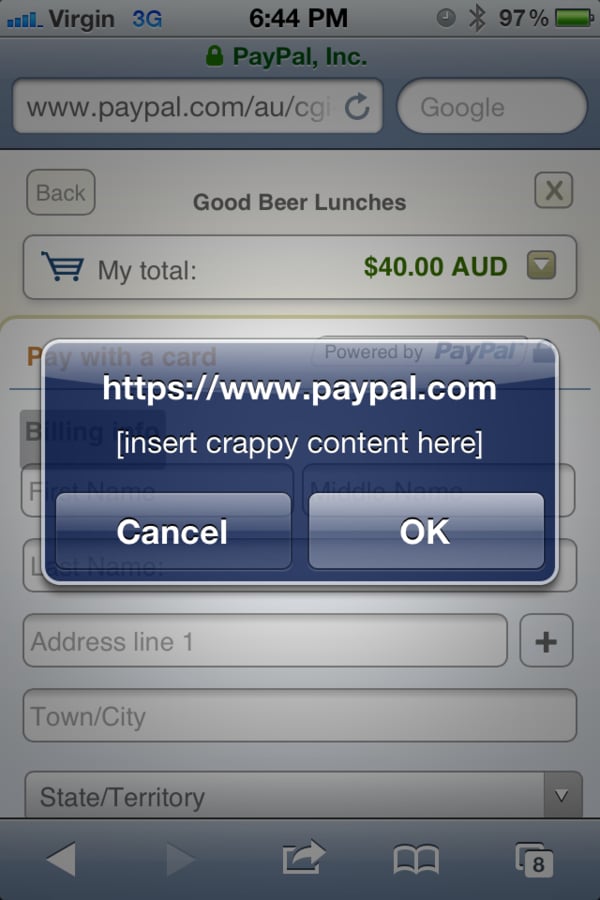
What happens when placeholder text doesn't get replaced

One of the many things I do that proves that I need to get out more is collect examples of placeholder text that ends up in a final interface. But I’ve also noticed that the issue happens more and more in the offline world as well. As I looked through my folder this morning I realized that, in the interest of science, I should post some of my favorites here. If you have any other good examples, please let me know!

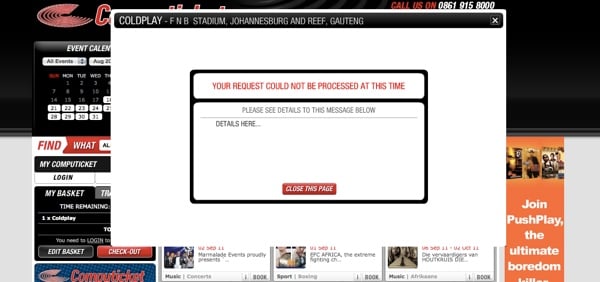
Let’s start with a very common one. Even though error messages are extremely important, they’re often forgotten about:

Computicket error message

I have a feeling that this was done very late one night:

PayPal content

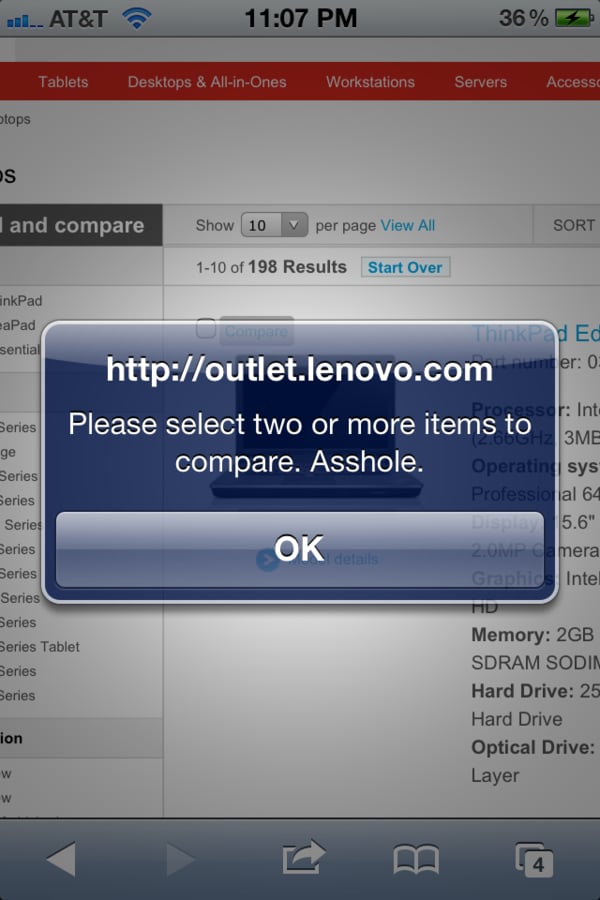
Speaking of disgruntled employees:

Lenovo

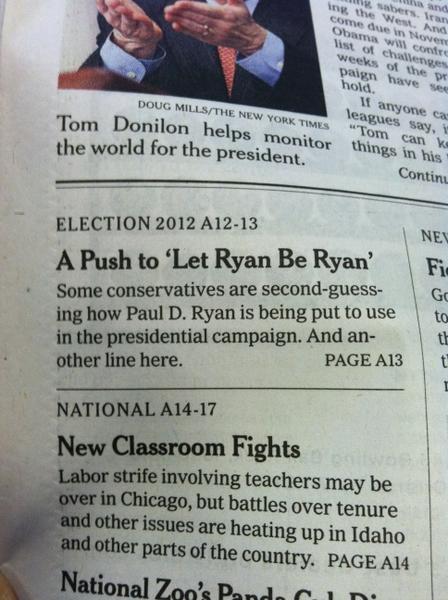
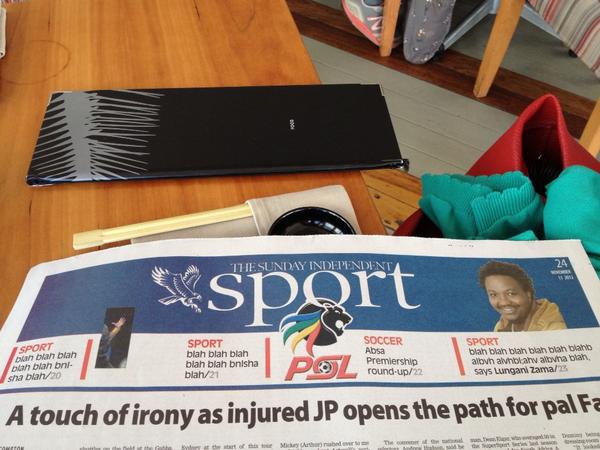
Placeholder text shows up surprisingly often in newspapers. And another line.

Another line here

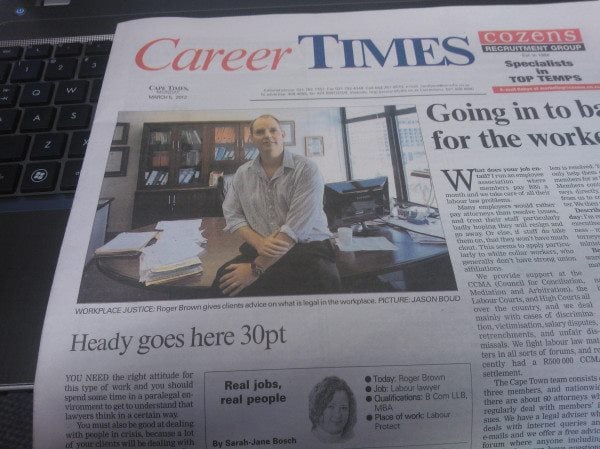
At least we know what the font size should be:

Cape Times headline

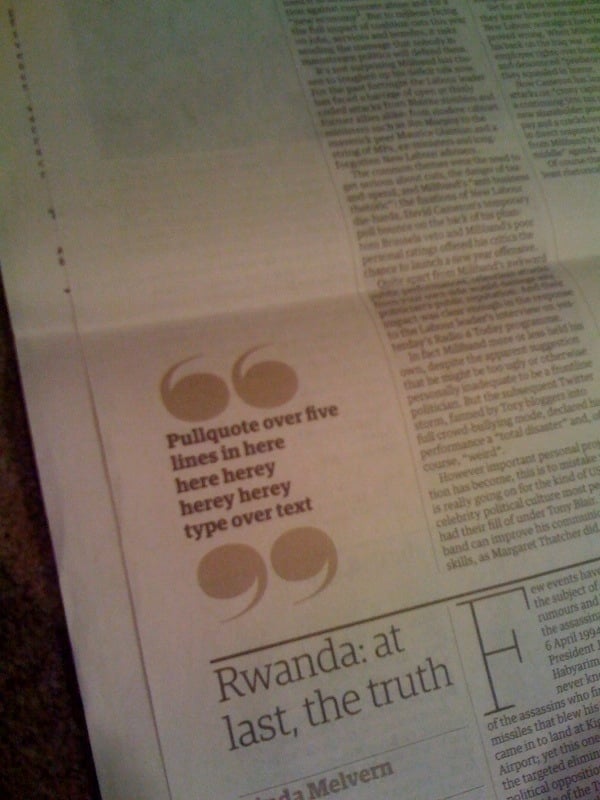
Pull quotes are optional:

Herey

I often feel the same way about sportsball:

Sportsball

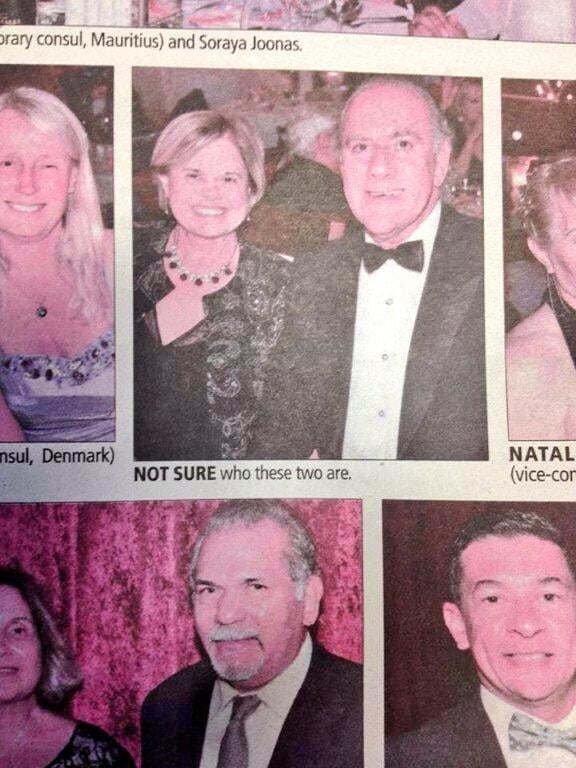
Who cares about these people:

Not sure

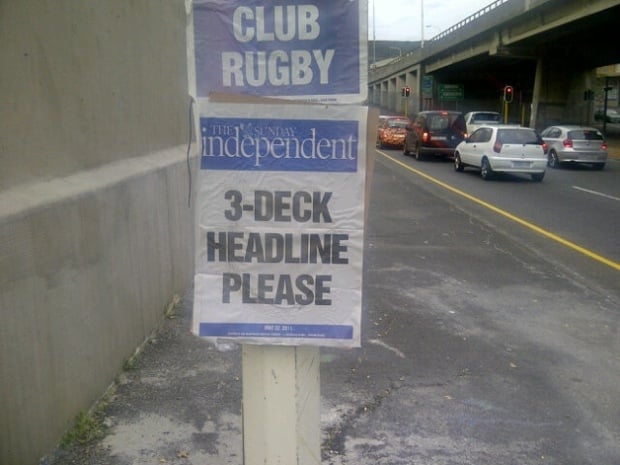
But I think my all-time favorite is still this teaser that went up all over Cape Town one morning:

3-deck headline

And finally: here you go, have a glass of Lorem Ipsum-inspired wine:

Lorem wine

Yes, it’s funny, but these examples also prove a very important point: the consequences of thinking about content after the design process is completed can be pretty embarrassing. Content-first design is where it’s at.

Going responsive with large, established desktop-centric sites

Jeremy Keith writes about the challenges of turning large, established desktop-centric sites into responsive sites in Climbing Mount Responsive. This method remains my favorite:

Rebuild the mobile site, using it as a seed from which to grow a new responsive site. On the face of it, having a separate mobile subdomain might seem like a millstone around your neck if your trying to push for a responsive design. In practice though, it can be enormously useful. Mostly it’s a political issue: whereas ripping out the desktop site and starting from scratch is a huge task that would require everyone’s buy-in, nobody gives a shit about the mobile subdomain. Both the BBC news team and The Guardian are having great success with this approach, building mobile-first responsive sites bit-by-bit on the m. subdomain, with the plan to one day flip the switch and make the subdomain the main site.

I also really like Brad Frost’s illustrations of this approach in Planting the Seed for a Responsive Future.

[Sponsor] Campaign Monitor: create and send beautiful emails

Designing emails that look beautiful, render perfectly and drive strong response is increasingly difficult. That’s why Campaign Monitor compiled the top 100 emails of 2013 into a free eBook, alongside tips on design and content. The Top 100 Email Marketing Campaigns eBook features brands like Fitbit, SmugMug, Panic and includes:

  • High performing newsletters with open rates of more than 50%.
  • Examples of great layouts & responsive designs.
  • Emails that go against best practices and still drive top results.
  • Campaigns that saw open rates improve by 20% after A/B testing, and more.

Check out the free eBook at campaignmonitor.com/top100.

Campaign Monitor makes software that lets you create and send beautiful emails. Today more than 800,000 designers, agencies, and amazing companies across the globe rely on Campaign Monitor to manage their email marketing.

Switch Design

Anthony Colangelo explains how he uses a technique called Switch Programming to help solve coding problems:

We gave each other 30 seconds to explain our intended results, and nothing else. Then, we traded computers and got to work.

I was working on a fairly new project with a codebase that Mark really hadn’t been in, and Mark was working on an old project that I hadn’t touched for over a year and a half (long story). Point is, neither of us were intimately familiar with the project we were debugging. It didn’t matter—we knew what had to happen, and we dug in.

Within five minutes, our issues were solved. We explained to each other what we did to fix the problems, we learned a little something, and we got back to work.

This sounds like a great approach to solve design challenges as well. If you’re not sure how to get past a particular design problem, explain the intended result to someone, and give them 5 minutes to try to sketch a few solutions. It will probably not be perfect, but it’s a great way to get some fresh thinking to bump you back on track.

Intent and Design

Jared Spool in Design is the Rendering of Intent:

Over the last year, we’ve started explaining design as “the rendering of intent.” The designer imagines an outcome and puts forth activities to make that outcome real.

He believes this is one of the reasons why, even though they’re both government sites, We the People is so much better than the enrollment system for Global Entry:

There’s no technical reason why the We The People team had to end up with the design they did. It could’ve been frustrating and hard-to-understand, just like the Global Entry site or many other government web sites. The only reason either team ended up with these sites is because they came to their designs with different intentions. […]

Many of our design deliverables, such as wireframes, prototypes, and style guides, are as much about getting agreement on what we intend as they are to move our intentions closer to done. But the deliverables themselves do not produce the designs. It’s having all the people on the team, from the product managers through the developers, sharing the same intention.

We need to look at our design process as a way to come to a single intention as much as it is to make that intention real in the world. And it’s with the lens of this new definition that we can see we still have much work to do before every design will be a great one.

User intent is not a new design concept, but I like how Spool extends that to deliverables. Most deliverables are part of an essential process to get everyone to agree on the intent of the product, as well as the user intents that the product aim to deliver. Through this lens the right deliverables are closely related to Jobs to be Done, and therefore still very relevant and useful.

Smart cities as citizen-inspired networks

Every time someone writes about smart cities my ears perk up. Sommer Mathis just published a great interview with Anthony Townsend (the author of the new book Smart Cities: Big Data, Civic Hackers, and the Quest for a New Utopia). From The Rise and Fall and Eventual Rise Again of the ‘Smart City’, quoting Townsend:

But our “smart” cities are going to look much more like the web, where there’s going to be a lot of things deployed by individual decision, talking to each other through open standards in very ad hoc, loosely knit ways.

And what I like about that is that kind of architecture is actually what a good urbanist would tell you builds a good city. You build an open grid, you allow people to customize the pieces of it that they have jurisdiction over, and you get this fine-grained, resilient, vibrant kind of system with a lot of complexity, as opposed to a very controlled, hierarchical system that’s actually fairly brittle when it comes under stress.

It’s great to see smart city thinking evolve away from large centralised systems to citizen-inspired networks. Some more interesting articles on this topic: