Menu

Posts tagged “user experience”

Getting back into the (right) deliverables business

This is a written version of a talk I gave at Industry Web Conference on April 23rd, 2014. It’s a great conference and you should definitely attend next year.

This is a photo of what many believe is the first wireframe ever created. It’s attributed to Paolo di Dono (aka Paolo Uccello), dating somewhere in the mid 1400s (source):
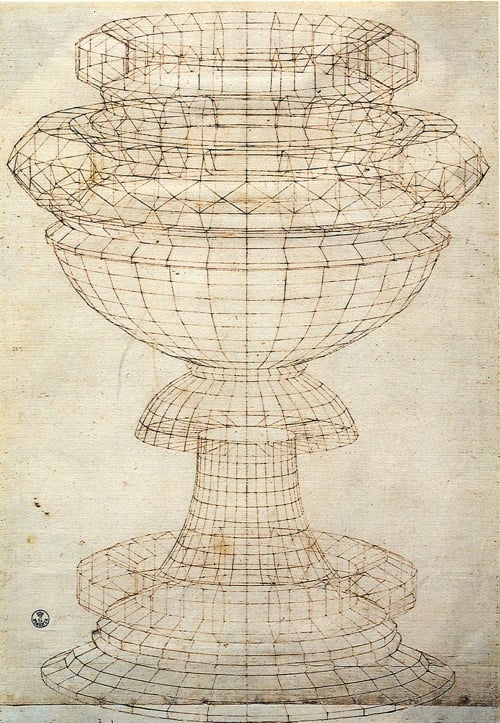
The first wireframe

Back then, wireframes were used to accomplish very specific goals to help with the design of everyday objects (source):

  • To view the model from any desired point
  • To produce standard and auxiliary views
  • To create perspective views more easily
  • To analyze distances within the structure
  • To check tolerances and interference
  • To decrease the number of prototypes required
  • To edit the model

Wireframe models are particularly useful in the world of architecture, so it’s no surprise that software used to create CAD models incorporated wireframes as core to the product:
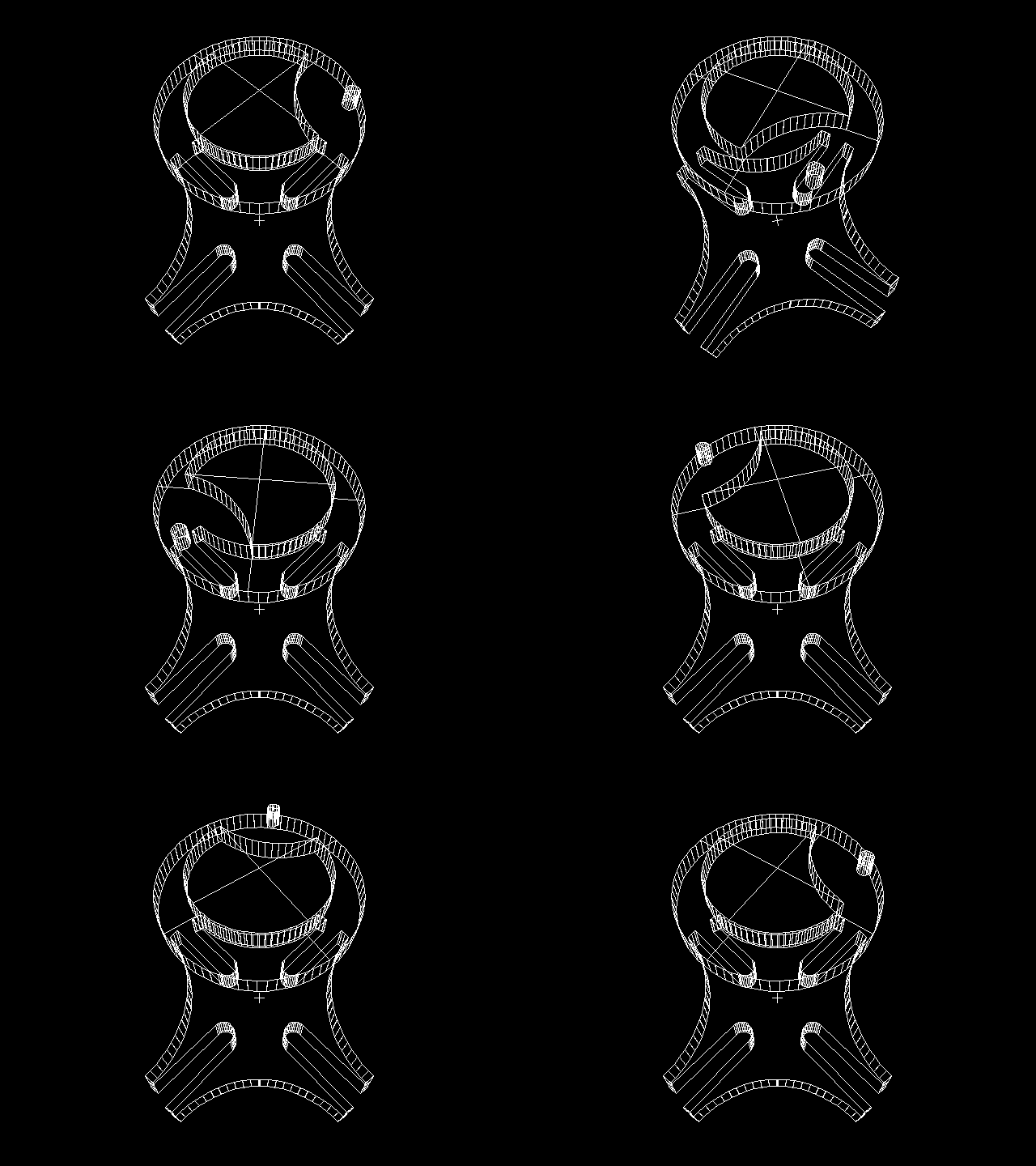
Rotating wireframe

Image source

To clarify things a bit, wireframes were originally used to accomplish two product design goals: to reduce rework, and to speed up delivery. Those are words that will make any designer or developer’s ears perk up. Who doesn’t want that?

However, somewhere along the line we’ve watered down wireframes to something completely different. At worst they’re reverse-engineered artifacts based on completed PhotoShop files once an agency account manager remembers they’re supposed to “do UX” as part of the project they sold. At best they’re hailed as good communication tools — nothing more, nothing less. We’ve managed to reduce a highly useful design tool to something we fight over on Twitter. And it’s not just the humble wireframe that’s in the crosshairs. Personas. PSDs. Debrief presentations. They’re all looked on with the same disdain:
No

The reality is that there is a lot of truth to the criticism we lavish on “deliverables”. The Lean movement is right about the main reason for getting out of the deliverables business — whatever time we spend documenting stuff is time spent we’re not making stuff, and that’s a problem. It’s much better to create hypotheses, build them quickly, and test them with users to get feedback and iterate. I’m in complete agreement on that approach.

That said, there is a problem with this approach that has started to become more and more bothersome as I went on my own journey to stop making deliverables. The problem is that design is path-dependent. The choices we make early on in a design constrain the choices we can make later on. Ryan Singer sums this up really well in his answer on the Quora thread Should I focus on a good user experience, or push something out quickly?

On the very first iteration the design possibilities are wide open. The designer defines some screens and workflows and then the programmer builds those. On the next iteration, it’s not wide open anymore. The new design has to fit into the existing design, and the new code needs to fit into the existing code. Old code can be changed, but you don’t want to scrap everything. There is a pressure to keep moving with what is already there.

Our early design decisions are like bets whose outcome we will have to live with iteration after iteration. Since that’s the case, there is a strong incentive to be sure about our early bets. In other words, we want to reduce uncertainty on the first iterations.

So the main issue I kept running into as I stripped deliverables out of my design process is: how do I know where to start? How do I make sure I start in a place that isn’t going to limit me so much that I’ll have to start over completely at some point? And not just that, but what about that thing we all want to pretend doesn’t exist but we have to deal with every single day? You know, the S word. Stakeholders. Those people who need to know what’s going on and why, all the time. Without deliverables we’re kind of exposed to the elements on that, with nothing to lean on.

Something’s gotta give, and I think that something is the deliverables we make part of our design and development process. So I started thinking.

Thinking

I started thinking about Jared Spool’s excellent piece from earlier this year, A Bias For Making, in which he wrote the following:

A bias for making doesn’t mean the team never plans. On the contrary, plans happen fluidly throughout the entire design process. The difference is they are evolving as the team learns from the process of making.

And then I started thinking about Giff Constable’s words in You Are Spending 3x-5x More Than You Should:

Agile/lean has helped people debunk the ‘big upfront design’ phase, but far too many replace it with nothing.

And as I kept thinking about all this stuff, I started to realize that there are some things that the right deliverables could actually be good at. For example:

  • Deliverables could provide a better baseline to start a design from, particularly when it comes to device-agnostic design and development.
  • Deliverables could help teams running along smoothly by anchoring everyone on the same vision, and serving as a communication tool to help executive teams understand the execution plan.
  • Deliverables could help with building up organizational memory, so that when the inevitable leadership changes happen, everything doesn’t get scrapped to start over.

Of course, the next obvious question is, what are these right deliverables you speak of? If we’re all agreed that flat wireframes and millions of PSDs are against the spirit of Lean, what’s the alternative? How do we solve the problems that “no deliverables” present, and come up with something that helps us create better products (which is the end goal we all have in common)?

There are two kinds of deliverables that I’ve been working on as possible (work-in-progress) solutions to these issues, and in this post I’d like focus on one that clearly needs a better name: Expanded Customer Journey Maps.

Journey maps are visual representations that help summarize research, highlight and prioritize user needs and opportunities, and give teams a common goal to work towards (see Adaptive Path’s excellent introduction at The Anatomy of an Experience Map). A product’s journey map is important because:

  • It confirms a common understand of the users’ needs and goals, and the strategy you intend to follow to attend to those needs and goals.
  • It is an excellent prioritization tool, since it allows companies to focus on the most important parts of an experience first, without losing sight of the overall picture.
  • It is a guiding light for design. Every time a design idea comes along, a quick glance at the journey map helps us figure out if it’s a good idea that will accomplish the chosen strategy.
  • It is an excellent conduit for content-first design, which fits in perfectly with responsive design approaches.

There are many different ways to create a customer journey map. It has some common elements, such as a visual representation of customer touchpoints, emotions, and key takeaways throughout their experience with a product. But that’s only useful up to a point, so we’ve started to expand on the concept. In addition to the usual elements, this document also becomes a representation of the information architecture and the product’s content plan, with personas (needs, goals, scenarios) serving as the starting point for everything — the glue that ties it all together.

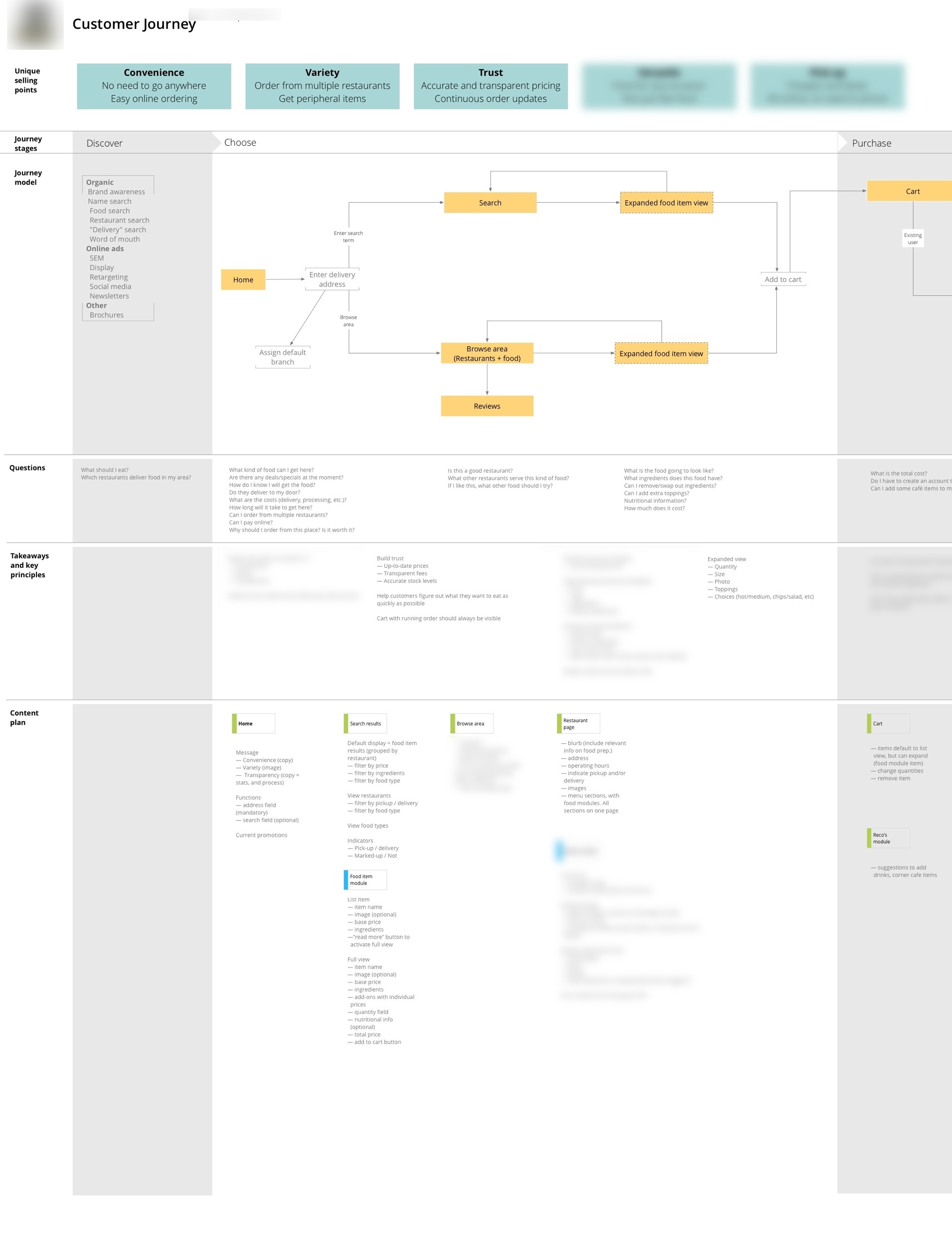
This new document is a summary of everything we need to know to design the best possible product for users. It has the following elements:

  • Unique selling points to keep us focused on what the site needs to communicate at all times. This comes straight from the persona needs and goals.
  • Journey stages and model to remind us how the product fits into people’s lives, and what the primary calls to action need to be throughout the site. This section is a visual representation of a customer’s journey from realizing they might have a need for the product, until long after they’ve used it. This helps product managers keep a holistic view of the entire product and how it fits into users’ daily lives.
  • Questions that our target personas are likely to ask in each phase of the journey, to focus the type of content we serve on each page. In an e-commerce context, these are questions like, “Can I trust this retailer?” or “When will my stuff arrive?”
  • Takeaways and key principles to summarize the unique selling points, journey model, and user questions, and document how they translate into the design decisions and solutions we need to keep in mind throughout the design process.
  • Content plan that maps each phase of the journey with the questions our personas will ask during that phase, and what it means for the specific content that needs to go on each page. We get very specific here — nothing gets on the page unless it’s in the content plan. And if we can’t identify a persona that would find the content useful, it doesn’t go on the list.

Below is an example of an expanded journey map. You can click through to see a larger slice of one of the sections.
Expanded Journey Map

There are a few things that we found this kind of expanded customer journey map does really well:

  • It is completely device-agnostic. It starts with personas and content, and the entire design remains anchored on that.
  • Once you get going, design cycles happen faster, because everyone is aligned on the vision and direction.
  • During user testing we tend to find fewer usability issues because we already thought through the most common problems that might occur.
  • As a team we tend to have better arguments — meaning we don’t fight about whether the button should be blue or yellow, but whether the design accomplished the goals we agreed on.

It’s not a perfect solution, of course. Everything has drawbacks. In the case of expanded journeys, we’ve found the following challenges that we still need to work through:

  • There’s no denying it, the initial lead time before design starts is longer. That’s just the way it is, because thinking about a problem takes time. Once the design phase starts we actually make up that time in spades, as mentioned above, but it can still be an awkward time with clients and internal stakeholders if they can’t see “pictures” as quickly as they might want.
  • It’s easy to get distracted if you’re a UX nerd. This stuff is so exciting for some people (ok, me) that it’s possible to stand in front of that white board for days if you don’t check yourself. This isn’t about making a nice piece of paper, it’s about making a better product. Give it your best shot, and then move on. Don’t get lost in analysis paralysis.

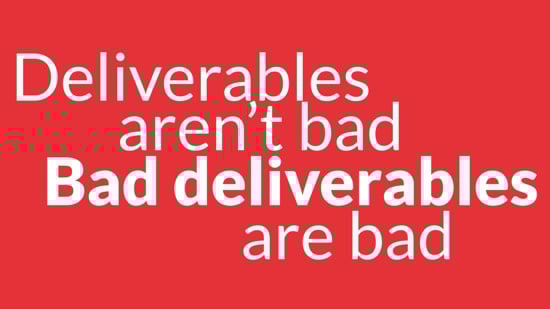
So where does this leave us? Yes, deliverables can slow us down and result in documentation that no one reads. But the right deliverables anchor teams in a united product vision, they provide early validation for product ideas, and they speed up (the right) making activities. That’s worth the drawbacks for me. Remember, deliverables aren’t bad. Bad deliverables are bad…
Bad deliverables

This is still a work in progress. I’d love to hear others’ thoughts on this methodology, and if they’ve expanded it in other directions. If you have thoughts or ideas please let me know on Twitter, or write a post and send it to me. I’ll link to it here.
Web navigation: stop showing users your app if they want to see TVs

This navigation article by Gerry McGovern is from 2006, but it’s still so spot on. I’ll quote this one bit from Web Navigation is About Moving Forward, but you should definitely read the whole thing:

Navigation should primarily be about helping us keep on going in the direction we have chosen. If I choose a link for “notebooks” then I have made a decision. Continuing to present me with links for servers and desktops decreases my ability to focus on the notebook direction I have chosen.

When I choose a link for “ultralight notebooks” that indicates that I am not interested in multimedia notebooks. Once I arrive at the ultralight notebooks webpage, the overwhelming focus of the navigation must be to help me find the right ultralight notebook.

Good web navigation design is not about giving people lots and lots of choices. It is not about second guessing decisions we have made. It’s not about asking what if we want to get back to where we were. It’s about looking forward, not about looking backward.

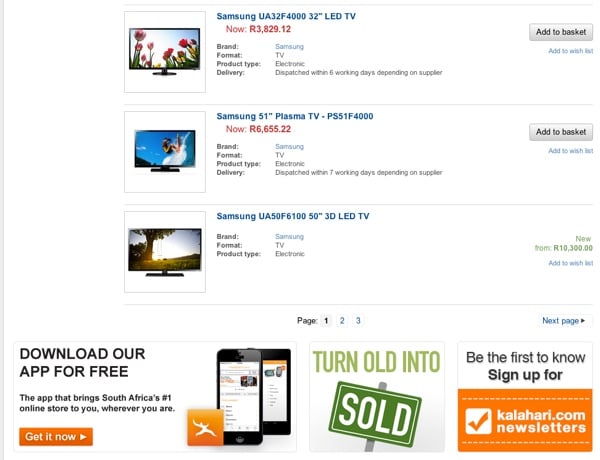
This is unfortunately still such a common practice on e-commerce sites. Why continue to show users unrelated product ads once they’ve made a decision on what they want? Here’s the search results page on Kalahari.com when I do a search for “Samsung TV”:

Samsung Kalahari

This isn’t the time to punt apps, newsletters, and the marketplace. I’ve indicated that I want a Samsung TV, so sell me a Samsung TV!

A product strategy approach to understanding Facebook, Instagram, and WhatsApp

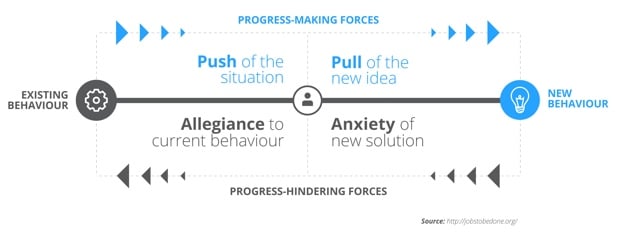
A few months ago I wrote about the forces at work when people choose a product. I discussed the Jobs-To-Be-Done concept of Progress-Making Forces, and shared this diagram to illustrate what happens when we try to get people to use our product instead of someone else’s:

Progress making forces

In this article I want to discuss this framework in the context of a practical example: WhatsApp vs. Instagram Direct (now both owned by Facebook). I started thinking about this recently after MG Siegler wrote his post Going Against The Grain:

We’re seeing over and over again now that the behemoths can’t simply add a startup’s functionality into their own app as a feature and kill said startup. But it’s equally important to note that if you are able to establish your startup, especially those in app form, it may be hard to get your users to do anything other than what they originally came to do. Especially if the new functionality is against the grain in any way.

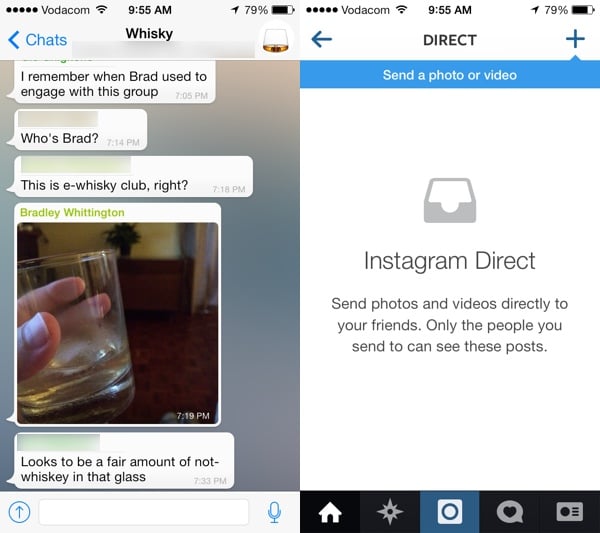
So, let’s consider this statement in the context of the Progress-Making Forces, and apply it to Instagram’s decision to add private photo sharing with Instagram Direct. First, let’s talk about existing photo sharing behavior. How do people currently send photos to each other? Facebook used to be the king of photos, but people are increasingly using messaging apps for this instead:

WhatsApp is processing 500 million images per day, compared to 400 million Snapchat (“snaps”) per day, which could include photos or videos. For its part, Facebook processes a comparatively paltry 350 million photos a day.

Enter Instagram Direct, a way for Facebook to try to claim back some of the private photo sharing pie. That’s the new behavior in the context of the the forces diagram. So the big question for Facebook is this: How do you get people to move their private photo sharing from WhatsApp (existing behavior) to Instagram (new behavior)? According to our framework, the progress-making forces need to be stronger than the progress-hindering forces, so let’s look at each force in turn:

  • Push of the situation. Is there anything people are not able to do by sending photos through WhatsApp that they wish they could do? It doesn’t seem that way. Some of the biggest advantages of using WhatsApp for photos are that (1) it’s completely private, and (2) it ties into your phone’s camera roll, so you have access to any photo, not just the ones from a particular app.
  • Pull of the new idea. Is there anything in Instagram Direct that could entice people away from WhatsApp? Again, it doesn’t look like it. Using Instagram Direct is simply more work than using WhatsApp for photos. If the photo isn’t in Instagram yet you have to import it. You have to apply a filter because that’s what you do in Instagram. Only then can you send it. But then the entire conversation is centered around photos. You still have to use WhatsApp for text messaging. So now you’re communication is fragmented, while it’s all seamlessly integrated in WhatsApp. There’s no pull here.
  • Allegiance to current behavior. How strongly are people attached to their WhatsApp experience? Extremely. The benefits of having all conversations and photos centrally located in WhatsApp can’t be overstated. You’re not just sending photos, you’re talking about life. It becomes a timeline of your relationships, and everything is there.
  • Anxiety of new solution. How worried are people that the shift would ruin their experience? Well, it seems there would be quite a bit of anxiety involved in moving to a product that doesn’t support the functionality you’re used to, and sits within a walled garden.

This analysis clearly shows that while the progress-making forces for moving people to Instagram Direct are relatively weak, the progress-hindering forces are extremely strong. This keeps people glued to WhatsApp, and it explains Instagram Direct’s apparent failure.

So what happened here? I think Facebook realized that they won’t be able to change people’s existing photo-sharing behavior. And that’s why they bought WhatsApp.

Whatsapp Instagram Direct

Space syntax and urban design

I really enjoyed Nick Stockton’s exploration of the space syntax concept in architecture in There’s a Science to Foot Traffic, and It Can Help Us Design Better Cities. He explains:

Space syntax [is] the science of how cities work. In the late 1970s, British architects Bill Hillier and Julienne Hanson hit on the idea that any space within a city — or the entire city itself — could be analyzed in terms of connectivity and movement. They reasoned that a city’s success depended largely on how easy it was for people to move about on foot.

This wasn’t a huge revelation. Studies reaching as far back as 1960s have shown walkable cities have higher property values, healthier residents, and lower crime. What set Hillier and Hanson’s ideas apart was the notion that a city’s geometry did more for movement than any other design factor. They argued that every other cog in a city’s engineering depends on the walkable grid. Cars, buses, trains, and bikes play a role, too, but only as much as they transport people to places where they then proceed to walk around.

There’s some great examples in the article, including a case study on the redesign of Trafalgar Square in London.

Designing for Google Glass

The small screens are coming, and we’re going to have to adjust our design processes accordingly. Emily Schwartzman does a great job of exploring how they worked through some of this complexity in Cooper, Augmedix and Google Glass: No Real Estate? No Problem:

Designing for Google Glass made us rethink the way we do software design. Many of our projects devote a significant amount of time to defining the framework of an application and developing the detailed design of key screens. When designing for Glass, we discovered that these phases needed almost no time, given the restrictive framework and visual language defined by Google. For future projects we might devote more time to refining personas and scenarios. We might even name the project phases a little differently—instead of “detailed wireframes” it might be “detailed scenarios.”

In general, Glass design projects will be focused more on flows than screens, and spending time on scenarios will help crystallize the flows.

What happens when placeholder text doesn't get replaced

One of the many things I do that proves that I need to get out more is collect examples of placeholder text that ends up in a final interface. But I’ve also noticed that the issue happens more and more in the offline world as well. As I looked through my folder this morning I realized that, in the interest of science, I should post some of my favorites here. If you have any other good examples, please let me know!

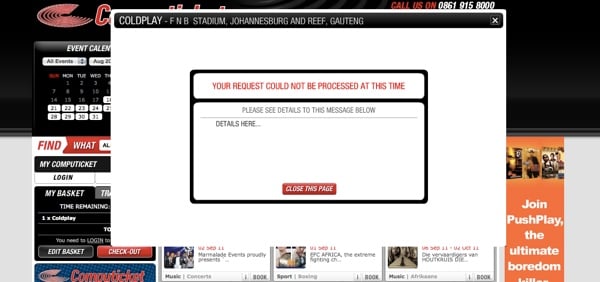
Let’s start with a very common one. Even though error messages are extremely important, they’re often forgotten about:

Computicket error message

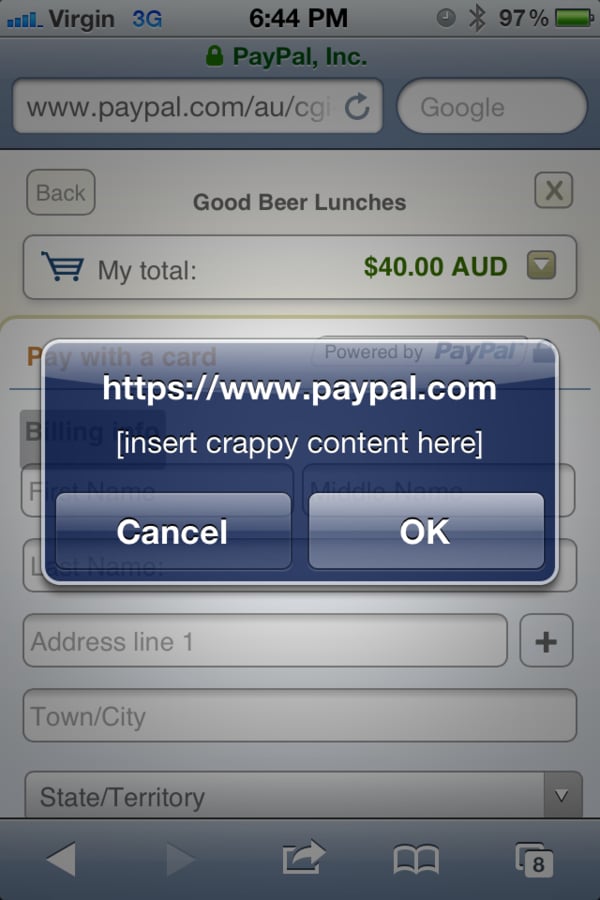
I have a feeling that this was done very late one night:

PayPal content

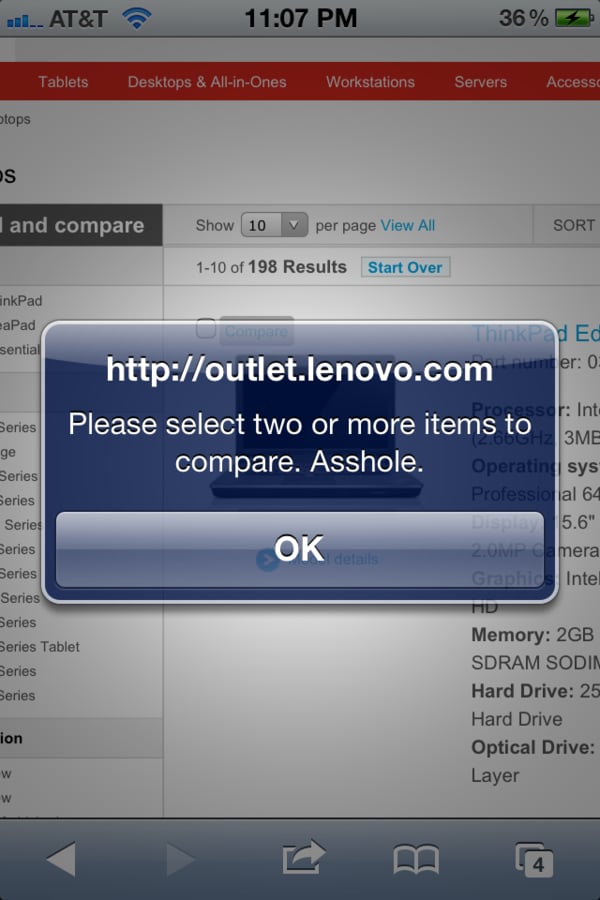
Speaking of disgruntled employees:

Lenovo

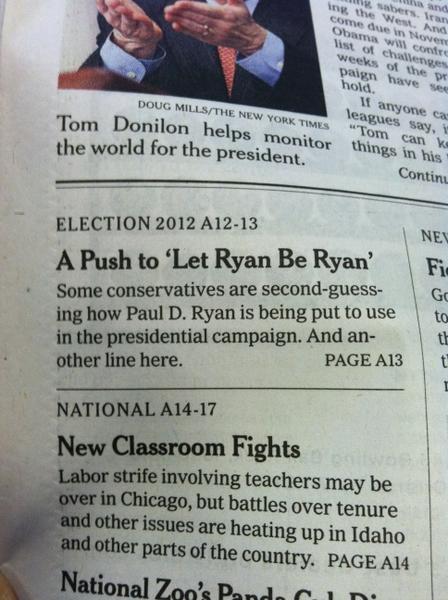
Placeholder text shows up surprisingly often in newspapers. And another line.

Another line here

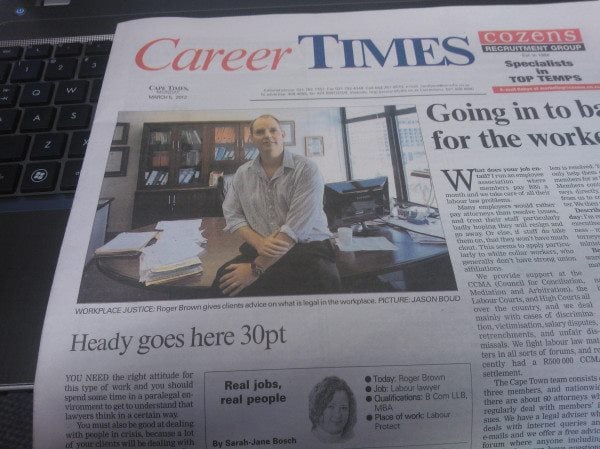
At least we know what the font size should be:

Cape Times headline

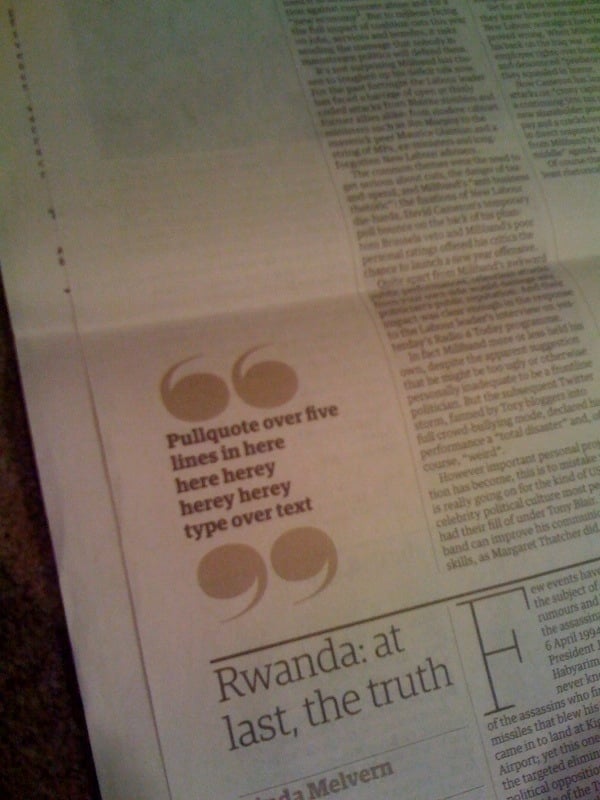
Pull quotes are optional:

Herey

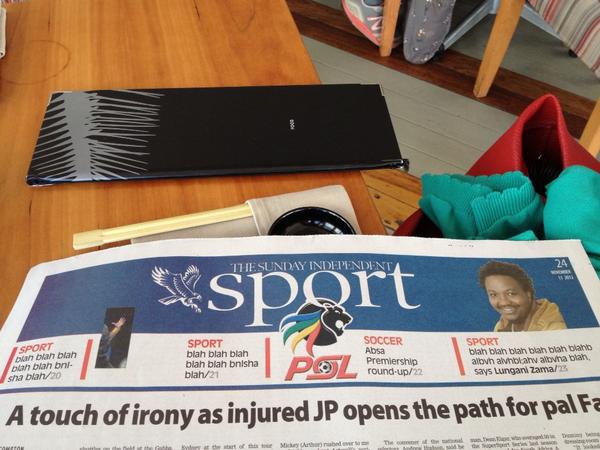
I often feel the same way about sportsball:

Sportsball

Who cares about these people:

Not sure

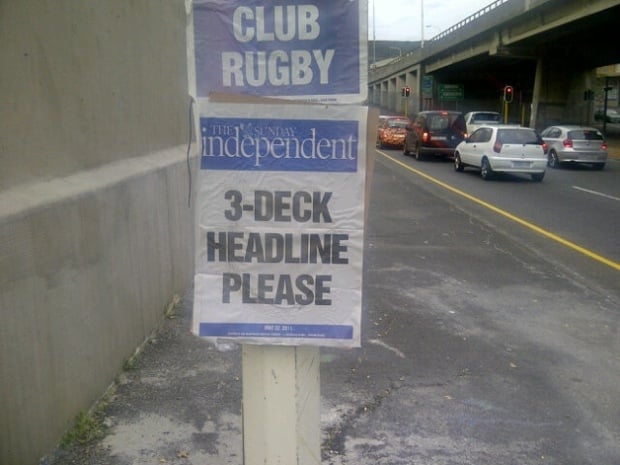
But I think my all-time favorite is still this teaser that went up all over Cape Town one morning:

3-deck headline

And finally: here you go, have a glass of Lorem Ipsum-inspired wine:

Lorem wine

Yes, it’s funny, but these examples also prove a very important point: the consequences of thinking about content after the design process is completed can be pretty embarrassing. Content-first design is where it’s at.

Going responsive with large, established desktop-centric sites

Jeremy Keith writes about the challenges of turning large, established desktop-centric sites into responsive sites in Climbing Mount Responsive. This method remains my favorite:

Rebuild the mobile site, using it as a seed from which to grow a new responsive site. On the face of it, having a separate mobile subdomain might seem like a millstone around your neck if your trying to push for a responsive design. In practice though, it can be enormously useful. Mostly it’s a political issue: whereas ripping out the desktop site and starting from scratch is a huge task that would require everyone’s buy-in, nobody gives a shit about the mobile subdomain. Both the BBC news team and The Guardian are having great success with this approach, building mobile-first responsive sites bit-by-bit on the m. subdomain, with the plan to one day flip the switch and make the subdomain the main site.

I also really like Brad Frost’s illustrations of this approach in Planting the Seed for a Responsive Future.

MagicBands and the future of data science

John Foreman digs into Disney’s MagicBands in his article You don’t want your privacy — Disney and the meat space data race:

Disney World is like a petri dish for advanced analytic techniques because the hotels and parks are all tied together in one large, heavily controlled environment. If you ever wanted to star in The Truman Show, a trip to Disney is the next best thing — it feels like a centrally planned North Korea only with more fun, less torture and the same amount of artifice.

From the mundane to the magical, the fact is there’s probably an engineer behind the scenes at Disney who has thought through it. Disney has industrial engineers that work on everything from optimal food-and-beverage pricing and laundry facility optimization, to attraction performance and wait-time minimization (the vaunted FASTPASS system).

The article is largely a negative look at (legitimate) privacy issues with programs like these, but in Disney’s case, I just think it sounds awesome.

The awkwardness of IM chat indicators

I really enjoyed Ben Crair’s essay on those indicators that show you when someone else is typing during an IM chat — which he calls The Most Awkward Feature of Online Chat. I thought I was the only one who started getting anxious when I see that indicator sit there for more than a few seconds. A quote from Clive Thompson sums it up:

Hmmm, why did they start typing and then stop? Obviously, most of the time this isn’t an issue, but if you’re involved in a sensitive or emotionally charged conversation, these questions of pausing can become emotionally charged themselves!

And this:

But knowing when your partner is typing can also have the unsettling effect that Thompson described: It makes visible the care with which we pick our words. And the more visible this care becomes, the more the reader distrusts the message. Conversation is supposed to feel natural, after all. The quip is less funny if it’s not offhanded. Flirtation is not so flattering if it appears to require labor. And the apology can seem less heartfelt when you know it’s been self-lawyered.

The Internet is hard.

Intent and Design

Jared Spool in Design is the Rendering of Intent:

Over the last year, we’ve started explaining design as “the rendering of intent.” The designer imagines an outcome and puts forth activities to make that outcome real.

He believes this is one of the reasons why, even though they’re both government sites, We the People is so much better than the enrollment system for Global Entry:

There’s no technical reason why the We The People team had to end up with the design they did. It could’ve been frustrating and hard-to-understand, just like the Global Entry site or many other government web sites. The only reason either team ended up with these sites is because they came to their designs with different intentions. […]

Many of our design deliverables, such as wireframes, prototypes, and style guides, are as much about getting agreement on what we intend as they are to move our intentions closer to done. But the deliverables themselves do not produce the designs. It’s having all the people on the team, from the product managers through the developers, sharing the same intention.

We need to look at our design process as a way to come to a single intention as much as it is to make that intention real in the world. And it’s with the lens of this new definition that we can see we still have much work to do before every design will be a great one.

User intent is not a new design concept, but I like how Spool extends that to deliverables. Most deliverables are part of an essential process to get everyone to agree on the intent of the product, as well as the user intents that the product aim to deliver. Through this lens the right deliverables are closely related to Jobs to be Done, and therefore still very relevant and useful.