Menu

Posts tagged “user experience”

How to measure the effectiveness of web content

Content strategy is starting to get its much-deserved time in the spotlight as part of the user experience design family.  As basic examples of confusing/bizarre content like this one and this one show, getting serious about content is way overdue.  But I’m a little worried that we haven’t seen much talk on how to measure the effectiveness of web content.  It is unfortunate that in some companies it is still a struggle to sell the benefits of UX design, but it is the reality, so we have to deal with it.

Selling content strategy to clients and stakeholders is, of course, not the only reason why measuring its effectiveness is important. It is also essential as part of the whole design process:

  • How do we select the best content if we have a variety of different alternatives, each with its own group of supporters who want to get it on the site right away?
  • Since the voice of a web site can be such an abstract, arbitrary decision sometimes, how can we apply methodologically robust research methods to help make these decisions?
  • How do we know that the content we wrote made a difference on the site?

So that is what this post is about — a proposal for how to measure the effectiveness of web content.

What makes content effective?

First, I would define “effectiveness” in this context as the optimization of the following three concepts:
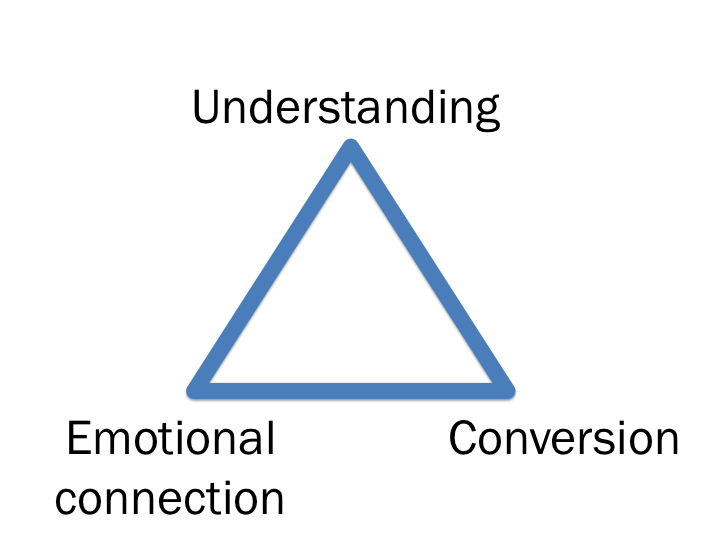
  • Do users understand what you are trying to tell them and what action they should take to be successful in their task?
  • Are you invoking the desired emotions with your content?
  • Does the proposed content result in higher conversion rates than other alternatives?

It’s so important to combine the user perception data (the first two concepts) with business metrics (the third concept).  From my experience the only way for user experience designers to affect change is if we can show the positive impact these changes have on engagement/revenue metrics.

Measuring content effectiveness

My proposal is to map each of the three concepts to a research methodology that is specifically designed to get the needed information:
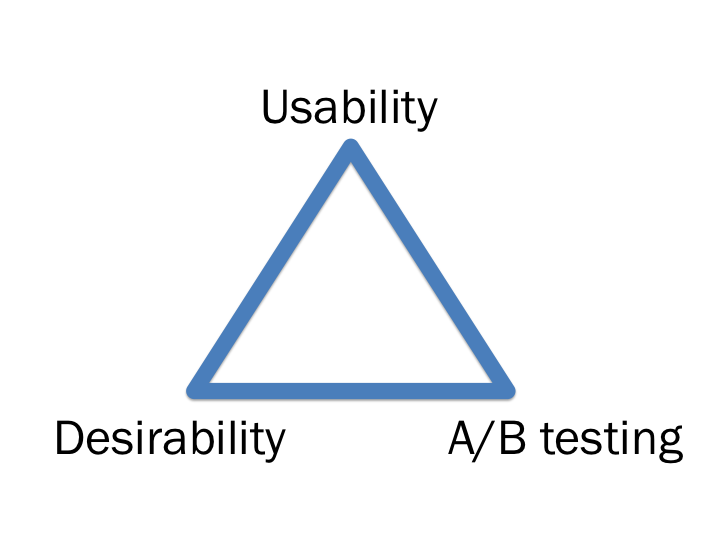
Each of the three methodologies can be used to measure the effectiveness of different versions of the same content before it goes live, as well as measure what difference it makes once it is live.  This is also a really nice way to progressively reduce the number of alternatives down to the best solution.

I’ve written about usability testing and A/B testing before so I’m not going to go into more detail on that, but I do want to spend a little time on Desirability testing since it’s a method I really like, and I think it’s not used enough to measure design/content effectiveness.

Desirability testing

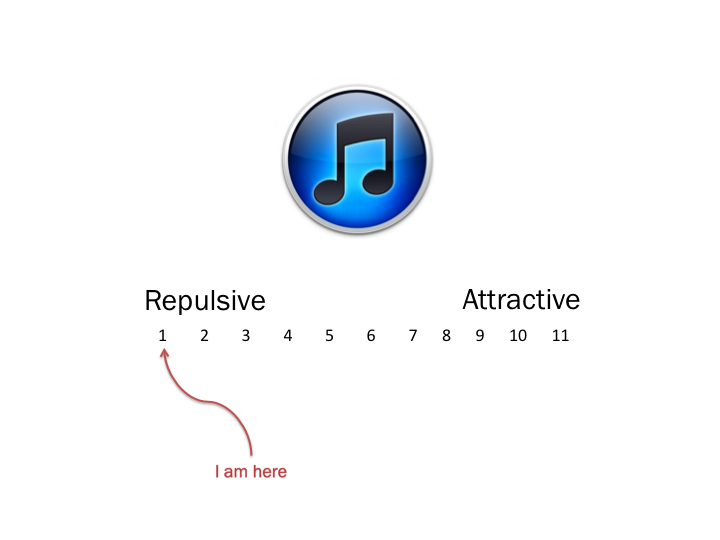
In desirability testing, a survey is sent to a large number of users where they are asked to rate one of the proposed design/content alternatives using a semantic differential scale.  The survey is done as a between-subjects experiment, meaning each user sees only one of the proposed designs, so that they are not influenced but the other design alternatives.  The analysis then clearly shows differences in the emotional desirability of the proposed  alternatives.

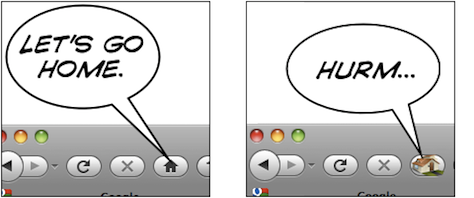
So, for example, you could show one group a design and ask them how they feel about it:
And then show a different group another image and ask them the same question:
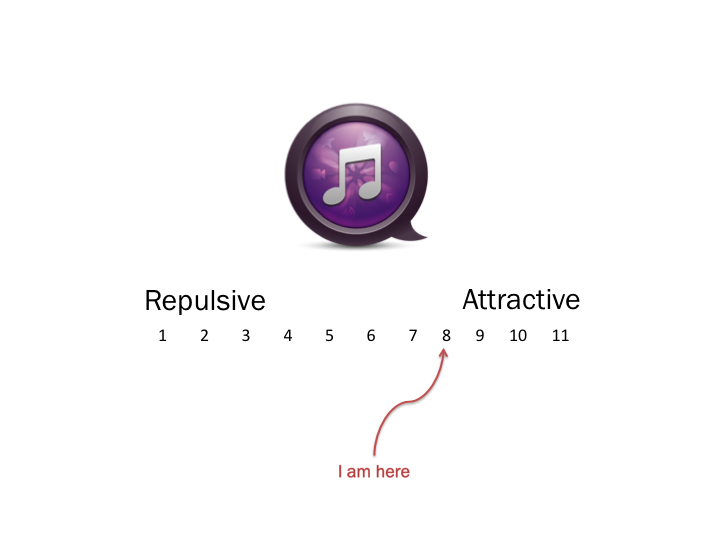
When you then compare the averages of the different groups, you’re able to make an accurate relative comparison between the two designs.

Putting it all together

In summary then, to apply all of this to measuring the effectiveness of content:

  • Usability testing. Start with several different version of the content (~10), along with the current version (if it exists).  Ask users in a lab setting what they understand the content to mean, and any other thoughts they have on the way it sounds.  This should help narrow down the alternatives to 4-6 possibilities.
  • Desirability testing.  Use the Desirability method in a large sample online survey as a between-subjects experimental design.  In the survey, ask users to rate the content on different brand and design attributes.  This way you can determine what emotional response the content elicits from users.  You’d also be able to ask users which version of the content they’d prefer, and why.  This method has the added benefit of large numbers to give you confidence in the statistical significance of the results.
  • A/B testing.  Once you’ve narrowed the alternatives down to two or three, live A/B testing can help you determine which of the alternatives perform better from a revenue or engagement perspective, by looking at differences that can be attributed purely to content changes.  This obviously works easiest when the content is directly related to a revenue-generating task, like the call to action on a checkout page, for example.  But it’s not just about revenue — there are great ways to measure metrics of engagement with the page, which is just as powerful.

Now, I can see a few issues that make this a pretty difficult task, and it’s the reason why the above three methods should not be used in isolation.  In combination, they help tell the whole story.

  • It is difficult to know what users really read on a page.  In the first two methods you pretty much have to show people what to read — that doesn’t happen when they visit your site organically with no one looking over their shoulder.  This is why A/B testing is so important as it gives you a sense of how behavior will change based on content.
  • It is difficult to isolate the effect of content changes from the other influencing factors on a page.  This is the really difficult part.  How do you know that conversion/engagement improved because of the content and not of some other factor on the page, like visual design changes?  That is why it is important to keep the rest of the page exactly the same, and also why usability and desirability testing is important to bring out the perceptual data from users.
  • [Update] This method doesn’t scale well. When you are doing a major redesign or re-write, you can’t do this for every single change (as Eric Reis points out in the comments of this post).  The method is mostly suited for microcopy and incremental improvements once the base content has been written.

And the biggest problem is of course that this is an idealistic approach.  Finding the resources/time/money to do this for every content change is obviously not feasible.  But for high-value landing pages, in-line help, etc. this approach could be well worth the investment.

This is also by no means the only way to measure content effectiveness, but I think it’s a good approach that balances methodological rigor with the dangers of not overdoing it.  I’d be curious if anyone has any thoughts or ideas on how to improve on this proposal.

PS. Last week I discussed this topic at the first Cape Town Content Strategy meetup.  I uploaded the slides here, and you should join the Cape Town group here.

A few thoughts on effective icon design

Earlier this week I was struggling, as usual, to navigate my way around our Web Analytics provider, Omniture (SiteCatalyst in particular).  Specifically, I once again had to hover over every single icon in one of the views to figure out what they mean.  I was looking for a specific menu item called “Add Metrics,” which ended up not being an icon at all, but rather a text link.

Anyway, in frustration I tweeted this screen shot, and implied that if your icons require users to hover over them to figure out what they mean, you’re dong it wrong:

To their credit and my surprise, quite a few people at Omniture follow mentions of the company on Twitter, so pretty soon I got this comment on the post from one of the Product Managers at Ominture:

Hi Rian - this is great feedback you have given us. We are taking steps to address your specific point in an upcoming release of SiteCatalyst. The icons will be clearer, and tool tips will not be necessary.

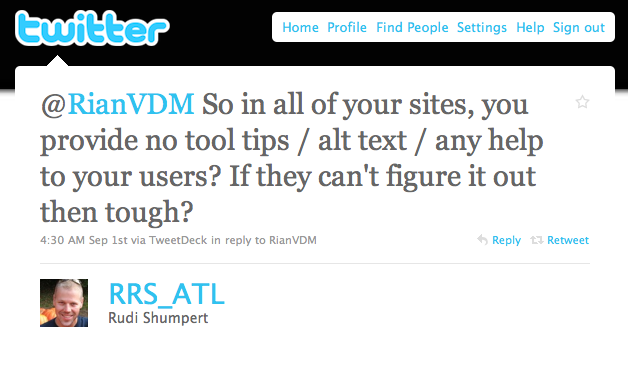
But not everyone was happy.  I also received this reply from @RRS_ATL:

We moved the conversation to email, and Rudi is a really nice guy — we had a very healthy debate about the issue.  I wanted to spend a little time here to summarize my thoughts on this particular issue and icon design in general.

First, let me say that I am not against tool tips and alt text when they provide additional context for text where space is limited, or more information about an element on the page. My specific issue with the Omniture icons is that they are not easily recognizable and mapped to what they actually do.  That breaks an essential UI rule which states there needs to be a match between the system and the real world:

The system should speak the users’ language, with words, phrases and concepts familiar to the user, rather than system-oriented terms. Follow real-world conventions, making information appear in a natural and logical order. (from Nielsen’s 10 Usability Heuristics)

For example, as you can see in the photo above, the Omniture icon for “link to this report”  has a chart and an arrow in it - that’s simply not intuitive enough.

What I am proposing in the Omniture case is one of two solutions:

  1. Redesign the icons to be more intuitive (which, from the PM’s comment on my post, is what they’re doing), or
  2. Turn them into text links (because what’s the use of icons if you have to use text to explain them?)

Icon design is hard, and I think it defeats the purpose if your icons are not easily understandable.  In a great post on UX Magazine called Realism in UI design they discuss this issue in depth, and explain why it is so hard to get right:

People are confused by symbols if they have too many or too few details. They will recognize UI elements which are somewhere in the middle.

The trick is to figure out which details help users identify the UI element, and which details distract from its intended meaning. Some details help users figure out what they’re looking at and how they can interact with it; other details distract from the idea you’re trying to convey. They turn your interface element from a concept into a specific thing. Thus, if an interface element is too distinct from its real-life counterpart, it becomes too hard to recognize. On the other hand, if it is too realistic, people are unable to figure out that you’re trying to communicate an idea, and what idea that might be.

This only scratches the surface of icon design, so for more interesting reading on the topic, see:

To summarize, I stand by my view that if you have to hover over every single icon to see what it means, you either have to design better icons, or just use text.  But I’m open to counter-arguments for sure… What do you think?

Incorporating the right business and technology needs into product requirements (Product Managegement series, Part 3)

This is the third post in a series I recently started on software development and the role of the Product Manager.  If you haven’t already done so, it might be a good idea to read Part 1 (Overview) and Part 2 (How to ensure that product requirements are informed by user needs) before your read on.  This post continues the discussion on Product Requirements and the different sources that should feed into requirements.

In Part 2 of this series I discussed the role of user needs in product requirements, and in this article I’d like to talk about the role of business needs and technology needs, and making sure that the right balance is struck when incorporating these (often loud, often conflicting) voices in the organization into what gets built.  So, let’s dive in…

Business needs

When I was at eBay, we often heard the mantra from our executive team, “If you fix the user experience, you fix the business.”  Lovely words, but when it comes time to decide what to build, “Fix the business” usually comes first.  This is, of course, not a bad thing, but unfortunately the best user experience often means taking revenue-generating features out of the product.  Would we have banner ads if UX really was king?  Don’t think so…

Still, you have to make money.  That is, after all, the point of the business.  The trick is to understand the difference between good revenue streams and bad revenue streams, and opt for the good ones as much as possible.  A good case study on this is eBay’s interesting approach to photos in product listings on the site.  eBay started charging users to add photos to their  listings pretty much from the very beginning.  This was back in 1995, and in those days storage wasn’t dirt cheap, so it was a natural thing to do.

As the years went by, and more and more photo sharing services popped up that allows users to upload and stores pictures for free, this approach became increasingly frustrating for users.  The other side of the story is that it’s actually in eBay’s best interest for users to upload photos of their items — items with photos convert way better than those without photos.

Still, it took many months to convince the executive team to make it free for users to upload photos of their items.  This is an example of a bad revenue stream — it brings in money, but to the detriment of users and the overall success of the business.  When it comes to adding revenue streams to your product, the important question should always be: are you doing this so people will buy it, or are you doing this so people will want to use it and be willing to pay for it****?

In a recent interview on Microsoft and tablets, Steve Ballmer said the following:

And so we are working with [our] partners, not just to deliver something, but to deliver products that people really want to go buy.

And in that lies the core of what’s wrong with Microsoft — the difference between making products users want to buy vs. making products they want to use.  When you make products people want to use, charging for the value it brings (i.e., looking for good revenue streams), becomes so much easier.  Approaching it from the more negative side, I guess you could also say it like this:

Technology needs

One of the dangers of product roadmaps and the PM’s role is that back-end maintenance and optimization can start to take a back seat.  This is a huge mistake, best explained through the metaphor of technical debt. In Steve McConnel’s great post on this topic, he defines technical debt as follows:

The first kind of technical debt is the kind that is incurred unintentionally. For example, a design approach just turns out to be error-prone or a junior programmer just writes bad code. This technical debt is the non-strategic result of doing a poor job.

The second kind of technical debt is the kind that is incurred intentionally. This commonly occurs when an organization makes a conscious decision to optimize for the present rather than for the future. “If we don’t get this release done on time, there won’t be a next release” is a common refrain””and often a compelling one.

He goes on to explain why this can become a problem:

If the debt grows large enough, eventually the company will spend more on servicing its debt than it invests in increasing the value of its other assets. A common example is a legacy code base in which so much work goes into keeping a production system running (i.e., “servicing the debt”) that there is little time left over to add new capabilities to the system. With financial debt, analysts talk about the “debt ratio,” which is equal to total debt divided by total assets. Higher debt ratios are seen as more risky, which seems true for technical debt, too.

Technical debt isn’t always wrong — quick hacks to get a product out the door is often the right choice.  But as with most debt, it’s important to start paying it off in small chunks as soon as it’s incurred, before you get into too much trouble.  If you’re interested in this topic, also read Andrew Chen’s great post called Product Design debt vs. Technical Debt.

Striking the right balance

Now that we’ve discussed user needs, business needs, and technology needs, the obvious question is: how do you decide what to build now vs. later vs. not at all?

For that, the right answer is unfortunately, in my experience, the traditional cop-out answer: it depends. It depends mainly on the following factors (in no particular order):

  • The level of user engagement and involvement.  If users are screaming for a particular feature, or if there are rumblings around “why haven’t you done anything for us recently?”, it could be a good time to up the level of customer needs you meet.
  • The stage of the product in its lifecycle. If the product is just at the beginning, customer needs will most likely come first.  As the product matures, technology and business needs become more important and should start taking precedence.
  • The financial state of the business.  If there are ways to add good revenue streams, those opportunities should always be taken.

Depending on where the business is on each of these 3 factors, the different inputs might be weighted differently. If the product is going through a growth spurt with lots of buzz, more attention could be placed on user needs. If the product is mature and making good money, technical needs might get more weight.

Exactly how this is balanced in each version/release of the product has no clear answer, and it’s where the art of product management comes in. But one thing is for sure — none of these needs can be ignored for any extended period of time. Take too long to pay down technical debt, and your platform will become bloated and unable to scale. Focus on making money too much, and users will fall out of love with your product.

Successful products have clear product management leaders who are able to take all the different requirements inputs, place it into context with other external and internal pressures, limits, and opportunities, and design a product vision and a (flexible) product roadmap that ultimately increases product/market fit (which I mentioned briefly in Part 2 of this series).

But what do product requirements look like, and what is the Product Manager’s role in that process?  That will be the topic of the next post…

Tech4Africa panel: How we redesigned Payfine.co.za

This week I was in Johannesburg for the debut of Tech4Africa, a conference about web technology in the African context. It was a fantastic experience, an opportunity to learn from and meet some great people, and I will most certainly be back next year (but hey, Gareth, let’s move it to Cape Town next year!). Yes, there were the usual small conference hiccups, but nothing that can overshadow the importance and significance of this event.

The mere fact that we were able to listen to speakers like Clay Shirky, Andy Budd, and John Resig, as well as some top South African thinkers & doers, and discuss with them the uniquely challenging opportunities that exist here in Africa, made this conference a winner. The content was mostly great, but the conference was more than that — it was about being inspired and energized about being in this industry, at this time, in Africa. You should follow Tech4Africa and its head organizer, Gareth Knight, for updates on the conference. And no matter where you live, you should attend next year. This event is here to stay.

I also had the great opportunity to speak on a web design panel with Allan Kent, Basheera Khan, and Mike Lewis. We took a User-Centered Design (UCD) approach to redesigning Payfine.co.za, a web site that allows South Africans to pay the many traffic fines they get every… well… every month or so.

We’ve never met each other before the conference, and we were all in different locations. So, since we had to do this remotely and in our limited spare time, we broke the process up into three distinct user experience elements and each took responsibility for one of the tasks: content strategy (me), interaction design (Bash), and visual design (Mike). We collaborated a lot along the way, but we decided to each lead the creation of one piece of the puzzle, and then put it all together in a coherent story (this was Allan’s job!).

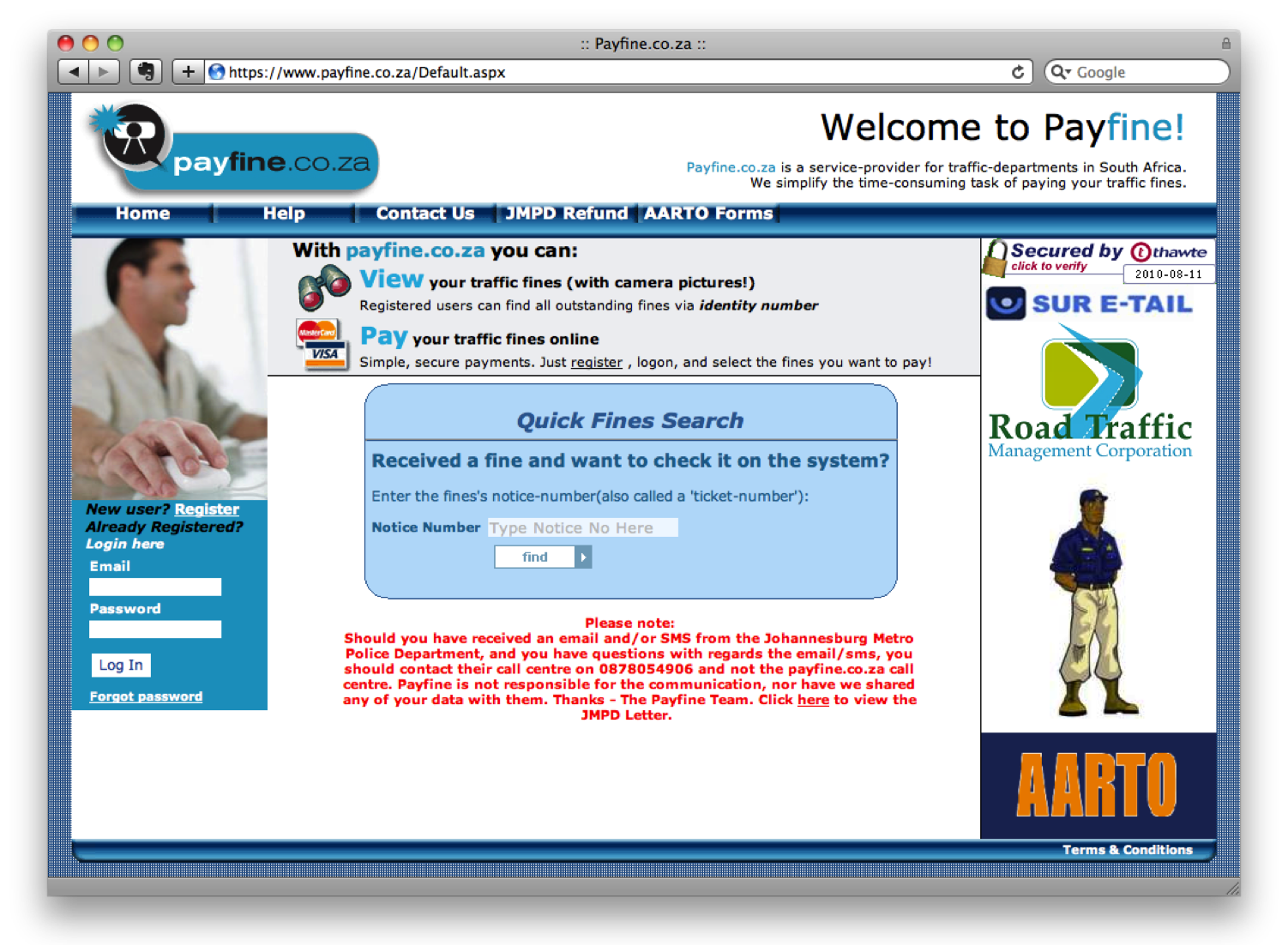
The end result? Well, you should judge for yourself. Here is what Payfine currently looks like:

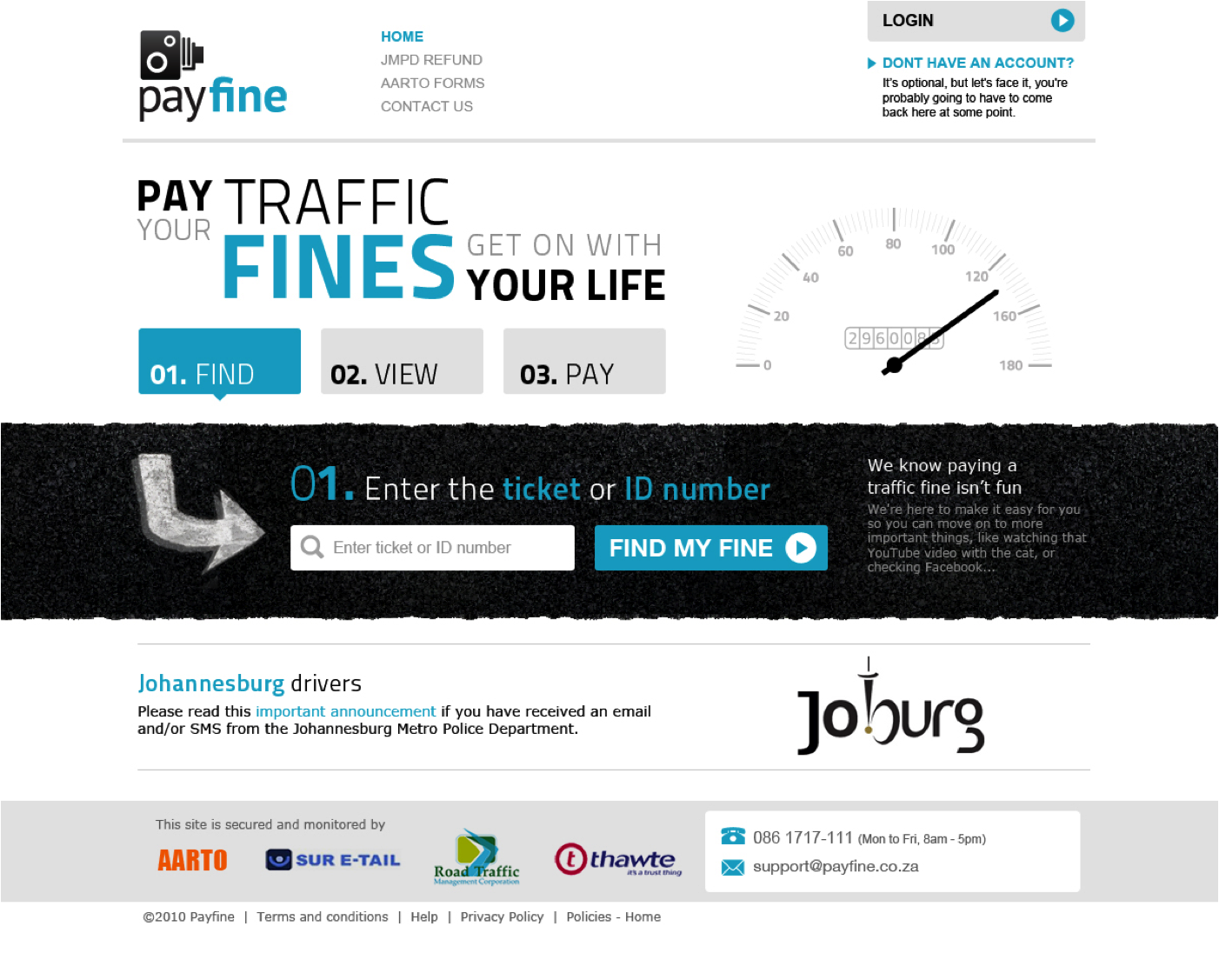
And this is the proposed redesign:

The one thought I want to pull out above the rest about this process, is that UCD is not rocket science. It’s not easy, but it’s not rocket science. There is a process, and there are rules (they can be broken, but they help focus the design process).

But. It does require a mind shift (I hate that word — can anyone suggest something different?) in the African web space — a realization that the interfaces we currently have on our banking sites, our e-commerce sites — even our entertainment sites — are simply not good enough. And it requires a commitment by those companies to invest in the user experience of their sites, because it will have a positive effect on the business.

Below are the slides we went through during our session, which I amended to make it a little bit easier to read without the voice-over we provided. We’re all happy to answer any follow-up comments or questions on this, so please let us know if you have any. And I really want to thank the rest of the team — this has been a great experience — let’s do it again!

How we redesigned Payfine.co.za - Tech4Africa

A rant about TV remote control usability

“DStv: so much more user-friendly,” says the ad in the background as I try in vain to press the button on the remote control just right so I can pause my show and go get another cup of coffee. It probably has something to do with last straws and camels and stuff, but that ad finally put me over the edge and onto the computer to write about the user experience of DStv’s remote control for their HD PVRs.

It is often much easier to figure out which companies practice user-centered design and which don’t when they produce physical products as opposed to online interactions. Think about Target’s redesign of the prescription drug bottle as an example of deliberate design, and America’s 1040 Tax form as an example of what happens when there is little to no design input on a product.

In the past I’ve had the pleasure of using the Logitech Harmony 880 universal remote, pictured below beside the DStv remote, and that showed me that it is, in fact, possible to design a remote that even my mom can use. So I’d like to write about the differences between DStv’s remote for the HD PVR’s, and the Logitech Harmony 880 universal remote. Both are shown below:

DStv HD PVR remote

Logitech Harmony 880 remote

The DStv remote - Why it’s bad

The DStv remote control breaks many principles of user interface design, but mainly this one: Recognition rather than recall. To quote Jakob Nielsen:

Minimize the user’s memory load by making objects, actions, and options visible. The user should not have to remember information from one part of the dialogue to another. Instructions for use of the system should be visible or easily retrievable whenever appropriate.

The principle applies mainly to online design, but it can be applied to the DStv remote in the following ways:

  • Several buttons have no proper affordance and mean nothing to the user. There are 5 different-colored buttons with no mapping to the real world, and some labels are confusing. As examples of interactions that are not obvious to the user without either reading the manual or extensive trial-and-error:
    • To view your recorded shows, you have to press the red button.  How am I supposed to know that?
    • To make matters worse, once you see a list of your shows, this same red button is used to delete the show.  And that’s how we lost the latest episode of 30 Rock.
    • To edit certain (but not all) settings, you have to press the white button within the menu system.
    • At other times, the white button is used to edit your favourite channels.
    • When you pause or rewind a show, you go back to live TV by pressing the “TV” button.
    • The “up” button brings up your favorite channels, while the other direction buttons bring up all available channels.
  • Several buttons don’t do anything at all. I haven’t seen the blue, yellow, and green buttons used for anything. It’s not uncommon for remote control buttons to be “reserved for future use,” but I maintain that this is a bad idea because it just introduces unnecessary user complexity.

In addition to that, the play/pause/forward/rewind interaction is awkward. To pause live TV, you have to press the button exactly in the middle, otherwise you might actually start rewinding or forwarding.

Making the fast forward action a pull action instead of a button you press might sound like a good idea, but doing that limits its function. Now you can only fast forward on one speed. If this becomes a push-button, or something other than “hold to fast forward”, you’d be able to fast forward at different speeds.

And this is only the remote… once you get to the on-screen experience the interaction reaches a whole new level of “what the…!?” Maybe we can dig into that at another time. But first, here’s how it should be done:

The Logitech Harmony 880 remote - Why it’s good

  • Beautiful, ergonomic design that makes you actually want to use it and not hide it under a pillow.
  • Progressive disclosure of features — depending on your activity the “soft keys” at the top of the remote perform different functions, with clear language on the display to indicate which button does what.
  • Online programming of the device — no need to remember device codes to set up the features for each component.
  • Thoughtful key layout with no ambiguity about which button does what.
  • Several smart features, like starting the backlight when you lift the remote off the table.
  • User language incorporated throughout — simple commands such as “Activities” and “Watch a DVD” instead of technical references.

It’s clear that Logitech did some user research to find out what the underlying user needs were before they developed this product. A lot of the features can be directly linked backed to complaints I’m sure we all have about remote controls. A couple of examples:

  • “I can never see the buttons on the remote when it’s dark in the room, but I also don’t want the light from the remote to disturb my viewing.” Solution: motion sensors that turn on the backlight when you pick up the remote, and turns it off after it’s been sitting still for a while.
  • “I don’t want to have to struggle with device numbers and complex remote programming”. Solution: build an online interface where the user can program the remote, and then send the commands to the remote through a USB connection.

There’s probably more to say, and yes a lot of arguments to be made for why DStv’s remote isn’t that good. But in today’s user-centered world, there shouldn’t be excuses any more. Companies need to make products that are useful and usable so that people can enjoy them without frustration. Good user experience = good business.

I do want to end on a positive note and say that I think the DStv iPhone app is a solid piece of user-centered design.  It doesn’t go overboard on features, and it keeps focused on the one thing users need it for — checking TV schedules.  I just think the app designer needs to take a look at the remotes, that’s all.

Favorite UX / Product Management posts of the week (2010-07-10)

I read quite a few excellent UX/PM posts this week, and wanted to make sure you don’t miss out.  So here are some excerpts from my favorite posts of the week.

User Experience Design in the Agile context

In Agile UX and The One Change That Changes Everything, Anders Ramsy writes about how user experience design can be adopted to fit the agile mold a little better.  He calls for less design up-front to basically embrace the MVP approach instead of fighting it:

The first and probably most fundamental change to flow out of starting to build earlier is that of chopping your up-front design phase down to a fraction of what it might be in a traditional model to allow for establishing a foundation of working software, and then evolving the rest of the product on top of that foundation. In other words, we go from Big Design Up Front to Just Enough Design Up Front.

The rest of the post is devoted to how to do that, including thoughts on lighter, conversation-centered documentation, and the importance of collaborative design.

Enough with the “chicken & pig” story

Speaking of Agile, David Bland wrote an impassioned post arguing that Our Divisive Scrum Terminology Needs to be Deprecated:

Scrum teams succeed or fail as a, well, a team.

If the Product Owner is confused about the role or not living up to expectations, it is the ScrumMaster who should be helping them along the way. If the ScrumMaster is failing at coaching up the Product Owner on the framework, then wouldn’t the ScrumMaster be to blame? But wait, since the team has appointed the ScrumMaster, would they not have failed by choosing one who is incompetent?

W’ll just run in circles pointing fingers because there is no easy answer, and using the Product Owner as the scape goat does nothing to help resolve the situation.

Measurement-driven Product Management

The always brilliant Pragmatic Marketing has a post entitled Measurement-Driven Product Management that should make all of us a little uncomfortable.  But good uncomfortable.  Getting better at your job uncomfortable.  Read the post for details on the proposed ways to measure the success of PM, but this is why they make the case for it:

The long term benefit of Product Management becoming measurement-driven is higher team performance, improved predictability and increased credibility. The ultimate benefit is developing the ability to reliably create outstanding products and market breakthroughs.

Can Product Management operate with this high level of maturity, using a reliable measurements and metrics system with more predictable results in a company?

This “holy grail” of product management performance is doable, but often many cultural and process gaps must be addressed first. An organization fosters a measurement-driven culture by reinforcing other aspects of the process, such as tightly coupling rewards, recognition, compensation and promotion to attainment of operational results. Does yours?

Research and Design, sitting in a tree…

In The product of a healthy relationship, Paul Golden discusses the sometimes rocky relationship between researchers and designers:

Hana Thomas of design consultancy Smallfry agrees that while market research can play a crucial role in product design and development, there are dangers. “There can be an over-reliance on market research, which leads to it being used either as a scapegoat for poor decisions or employed too soon in the creative process, stopping ideas in their tracks before they have even had the chance to be realised.”

Thomas refers to the value of ethnographic research to her company’s work in product development and describes studying people in their own environment, under a relevant context, as the “ideal way” to truly unearth latent needs and desires.

According to Reon Brand, the responsive and listening brand that engages its audiences in the creative process as well as in dialogue has a major advantage in our increasingly social-media driven world. However, all research methodologies have their limitations. While consumers can react to what exists and relate back to what they know, some of the designers surveyed by the Design Council felt that consumers were less able to contribute to the development of completely new product or service concepts for the future.

I just became the mayor of someplace you’ve never heard of

On a slightly different note, I found this RWW called Why We Check In: The Reasons People Use Location-Based Social Networks very interesting.  It presents some research on why we use services like Foursquare and Gowalla, and there are definitely some surprises, like using it to keep track of history:

The thing that surprised me most when I asked people why they use location-based social networks is how many of them say they use it primarily to track their own personal history. It’s a lazy diary, people say.  Some people say they use it to help with their expense tracking on business travels.

Happy reading!

Why the Kindle is a better e-reader than the iPad

I just read an interesting New York Times article on “social reading” (Yes, People Still Read, but Now It’s Social), and it got me thinking about the future of reading, and the e-reader battle that’s currently going on, particularly between the iPad and Amazon’s Kindle.  And then I upgraded my Kindle software to v2.5 this morning, and it made it clear to me why I think the Kindle is a far superior reader to the iPad.

No one will deny that the iPad’s iBooks app has a nicer user experience than the Kindle.  It’s colorful and pretty, it has a nice bookshelf, you can turn the pages with your fingers, and, uh…  Well, that’s where it stops.  The two major issues with iBooks are:

  • Since it’s a back lit display, it starts hurting your eyes when you read for too long.
  • The battery life is, you know, not ideal…

Now consider the Kindle.  Though not as pretty to look at, you can tell that Amazon decided to focus on the reading experience.  You don’t have to plug it in all the time, and you can read it for hours without hurting your eyes.  But it is v2.5’s forays into social reading that really starts to set the device apart.  There are two features in particular that I think are brilliant:

  • First, Amazon allows you to opt in to viewing popular highlights. This allows you to see when passages of a book you’re reading were highlighted by others who have read the same book.  It’s like a virtual book club, but instead of trying to get 6 people to agree on a book to read, you can connect with 100’s of readers who are already reading the same book.  This kind of connection really is where the Internet is at its most useful.
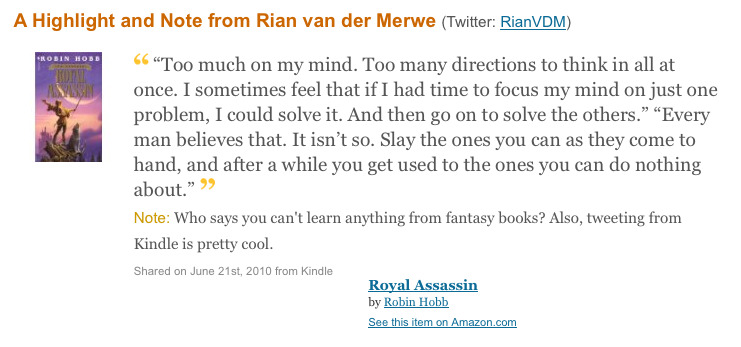
  • Amazon also allows you to link your Twitter and Facebook accounts to your Kindle.  This means that you can highlight a passage that you’re reading, and share it with your followers, like I did this morning:

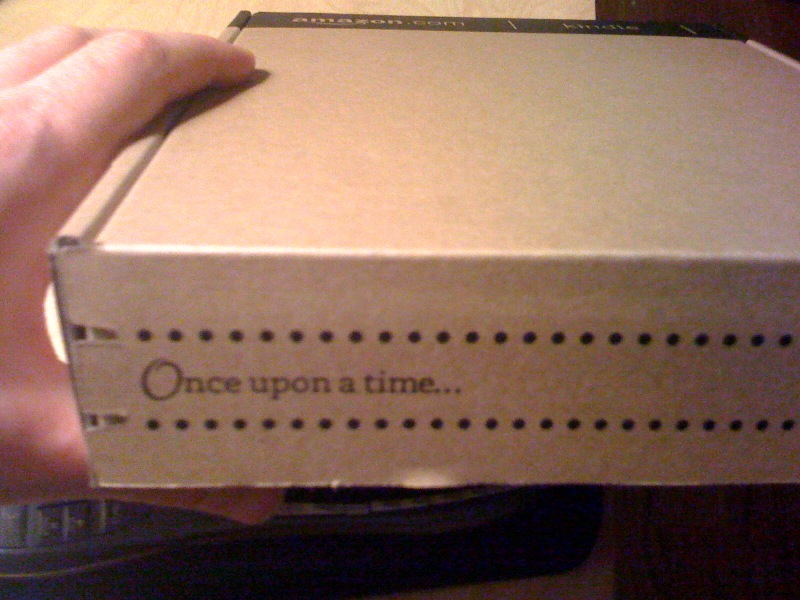
That is powerful.  It not only allows you to share what you’re reading and thinking about in real time, but it’s also great business for Amazon, since it provides a way for your followers to purchase the book right away.  Of course, even the Kindle packaging tells you that this is an experience built around passionate readers:

The differences between the iPad and the Kindle have larger implication as well, particularly in the field of Product Management.  Look, the iPad is gorgeous, it really is.  But it is an experience designed to contain so many different uses, that it is not possible to focus on doing one particular thing (like reading a book) extremely well.  The Kindle is singularly focused on readers, and that is why it beats the iPad hands down as an e-reader.

Dropbox did exactly the same thing to beat out their competitors — they focused on making file sharing as easy and convenient as possible.  They didn’t have all the features, but they made sure the features they do have has a superior user experience.  On that note, if you haven’t watched this 23-minute talk by Dropbox’s CEO where he discusses their business model, you really should.  It is inspiring and well worth it.

How to make a 2-week Agile sprint

One of the hardest parts of Agile development, but also one of the most powerful and rewarding, is figuring out how to make the process work for the team you’re part of.  Even though the guidelines are clear, there is simply no “one size fits all” approach when it comes to Agile.

We as Product Owners need to loosen up a little when it comes to pre-determined process, and work with our development teams to design an Agile process that works for everyone involved.  With this in mind, developer @darb and I evolved the following sprint guidelines for one of the applications we are responsible for here at Yola.

The ingredients of a good sprint

Every two weeks we sit down and discuss the next sprint, and we make sure the following ingredients are included:

  • 1 x silly name. Darb is partial to automatic Linux-generated names like Thundering Tuatara.  I am partial to non-silly names like “Sprint 3”.  But he won this argument — it’s all a game of give-and-take.
  • 1 x revenue-related. Every sprint has to include at least one bug fix, enhancement or feature that will improve our top-line revenue.  We are a business, after all, and this part is too often neglected by Product Owners.
  • 1 x front-end maintenance. With every sprint we have to make an improvement that customers will notice.  This can be small visual tweaks to increase usability, or bigger overhauls of the interface based on customer feedback and analytics.
  • 1 x back-end maintenance. Performance improvements and general back-end maintenance get put on the back burner way too easily - and as Product Owners we are often very guilty of deprioritizing maintenance because you can’t immediately see the effects of working on this.  But balance is extremely important, and paying down technical debt needs to be part of every sprint.
  • 1 x error messaging/UX improvement. This is related to front-end maintenance but different in that these tickets aim to address user experience and usability improvements mainly through changes in the interaction, not necessarily the visual design.

It’s important to note that these buckets aren’t mutually exclusive, so some tickets will address more than one issue — and that’s even better.  This is also the minimum requirement, usually we try to get a good balance of all kinds of tickets into a sprint.

The recipe for a good sprint

In addition to these minimum requirements of what should go into each sprint, we put together the following guidelines:

- Leave time for ad hoc planning and work.  Other stuff will always come up.  Don’t let it make you miss your deadlines — leave room for it so that you have “planned outages” in your sprint work.

  • Make sure there is a good mix of big and small size/complexity tickets.  Momentum is so important.  Seth Godin talks often about the importance of shipping often, and to do that, you have to bite off manageable chunks of work.  Make that small text edit that’s been on the backlog for months because it’s just too small to schedule.  And couple that with bigger tasks that get you closer to your overall product vision.
  • Make effective use of priority. We use Jira to track our projects, and we use Priority to schedule the order of work.  We have to get P2 and P3 projects done in the sprint.  P4 and P5 projects are nice to have, and we do them if there is time.  For P1 work, see the first bullet…
  • Stir Rian into vitriol. I’m not sure why it is important for Darb to find new ways to freak me out every week, but he seems to thrive on it, so this remains in the recipe for now.
  • Simmer in QA by mid 2nd week.  It’s such a simple thing, but so many organizations forget that for something to release on Thursday, it doesn’t mean that first round development is completed by Thursday morning.  It means that at least some first round development needs to be completed by Tuesday morning so that QA can start.
  • Rinse and repeat.  And then we do it all over again.

The “ingredients” and recipe are very specific to the application that Darb is the lead developer on, which is our payment system — with all its many back-end and front-end complexities.  Obviously different applications need different ingredients.  On our website, for example, we place a lot more focus on front-end than back-end.

And I think that’s the point I’m trying to make — that the best product development process is the one that Product and Engineering agrees on, and it never looks exactly the same across all applications.

GeekDinner Presentation: The highs and horrors of website redesigns

Last night I attended my first Cape Town GeekDinner, and I have to say that I will definitely be back next time.  Good food, good wine (thanks Delheim!), great atmosphere and discussions, and a few 10-minute geeky talks sprinkled in between… yes, this is an idea I can get behind.

I also got to do a short talk on 5 things I’ve learned about website redesigns from being involved in various projects at eBay and Yola.com.  The slides are posted below.  As I mentioned in my talk — since you can’t say a whole lot in 10 minutes, I went with breadth over depth here.  There are obviously a lot more that goes into redesign projects (and yes, I know Content Strategy is about more than not using Lorem Ipsum in your designs…).  But these are a some things I’ve learned going through the process a few times:

The highs and horrors of website redesigns

View more presentations from Rian van der Merwe.

There is no excuse for confusing site navigation

I am moving countries with my family in 3 weeks, so I have been doing a lot of account canceling over the past week or so.  For the most part, it’s a pretty smooth process.  But that changed when I encountered the labyrinth that is the Microsoft Billing department. Describing how I was eventually able to cancel my Xbox Live account would take way too long, so let me just focus on one part of the experience that is indicative of a company stuck in late 90s Information Architecture.

In order to get to my payment options for Xbox, I have to follow this sequence:

  1. Go to www.xbox.xom
  2. Click on “Marketplace” at the top (this automatically shows the “Xbox LIVE” link in the second tier navigation as selected)
  3. Hover over “My account”
  4. Click on “Manage payment options”

Here is the screen with the major areas called out:

There are a variety of issues with this navigation structure, including:

  • No connection (visual or otherwise) between the three navigation tiers. There are non-navigation elements between the tiers, so there’s no way to know how they are related.
  • No visual hierarchy.  What is the main navigation on the page, and what is sub-navigation?
  • Inconsistent “selected” link states.  The top tier doesn’t even show you what’s selected.  The middle tier uses black links that turn white.  And the third tier uses the tab metaphor.

The thing is that fixing this navigation isn’t that difficult.  It will take some time, but it requires a simple user-centered design strategy similar to what you would use to design any IA:

  1. Compile a site map of all the links and page names.
  2. Get a content strategist to write/edit link names so that they are understandable to users, and in line with the brand voice.
  3. Do a card sorting study to understand how users would group the site’s content and links together (adjust link names as necessary).
  4. Get a UX designer/engineering pair-up to design a single 3-tiered navigation structure.

I don’t understand why Microsoft can’t do this.  But there is simply no excuse for it.  It’s not like there aren’t plenty of resources and design guidelines for site navigation.  Here are just a few: