Discrobble · iPhone & iPad
Your record shelf,
on Last.fm.
Discrobble is an iPhone and iPad app that lets you scrobble your Discogs collection to Last.fm, so the vinyl, CDs, cassettes, and box sets you play count too.
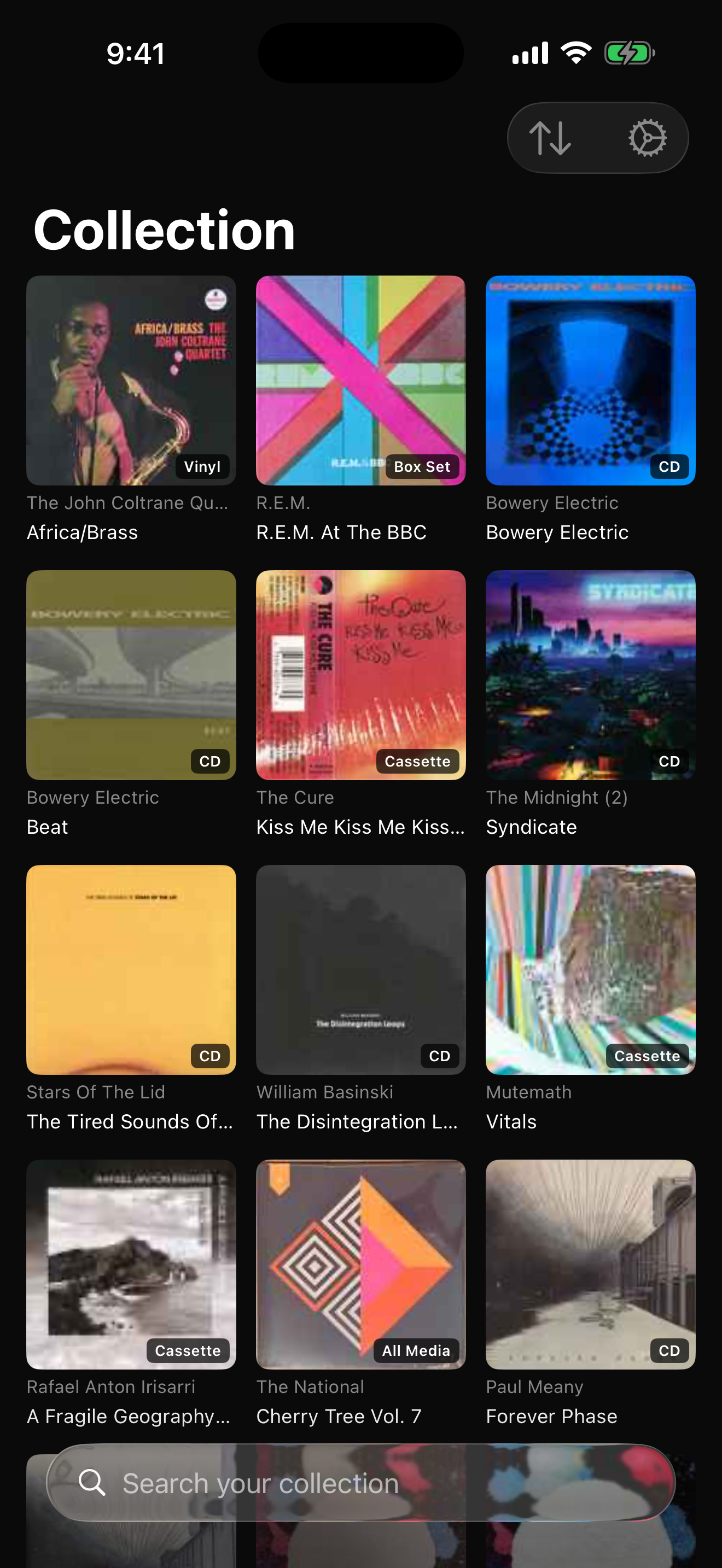
Start with your shelves
How to scrobble your Discogs collection
Sign in to Last.fm and Discogs, and Discrobble brings in your collection with its cover art, formats, and dates added. Search as you type, or browse by artist or most recently added. Open the record you're playing and tap Scrobble to send its tracks to Last.fm. Your collection stays cached on your device.
Bought something new? Pull to refresh. Discrobble picks up additions, checks for records you've removed, and tells you what changed. You can also refresh the full collection from Settings.
When the music is on
Scrobble what you actually played.
Open the album and tap Scrobble to add its tracks to your Last.fm listening history. You can submit the whole album, or choose a single disc or side from a larger set.
Discrobble spaces the tracks out using their durations. When Discogs is missing a duration, it looks on Last.fm to fill the gap.
If missing or unknown artist credits prevent a scrobble, the app explains what's wrong. Correct the credits on Discogs, then use Refresh track information to pick up the changes.
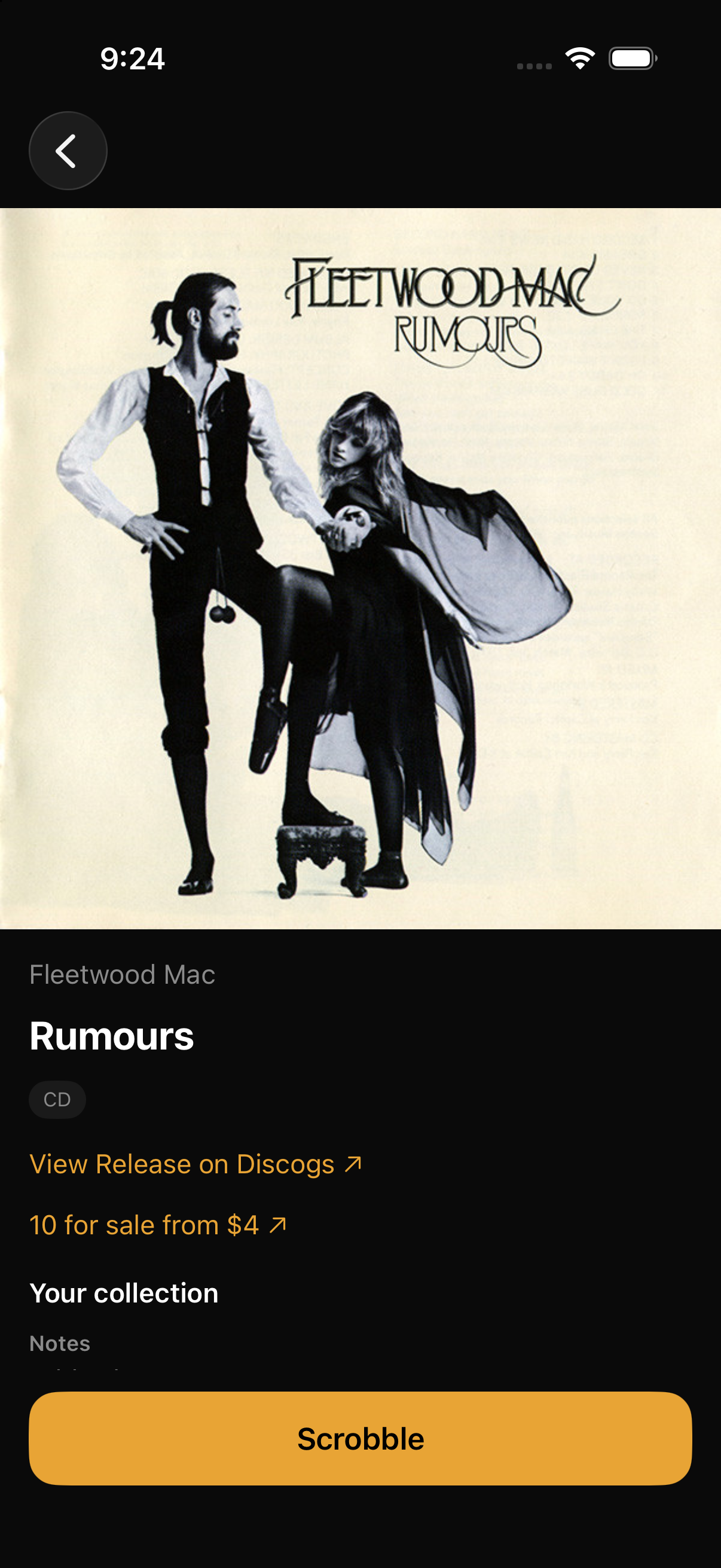
While you're listening
Get to know the record in your hands.
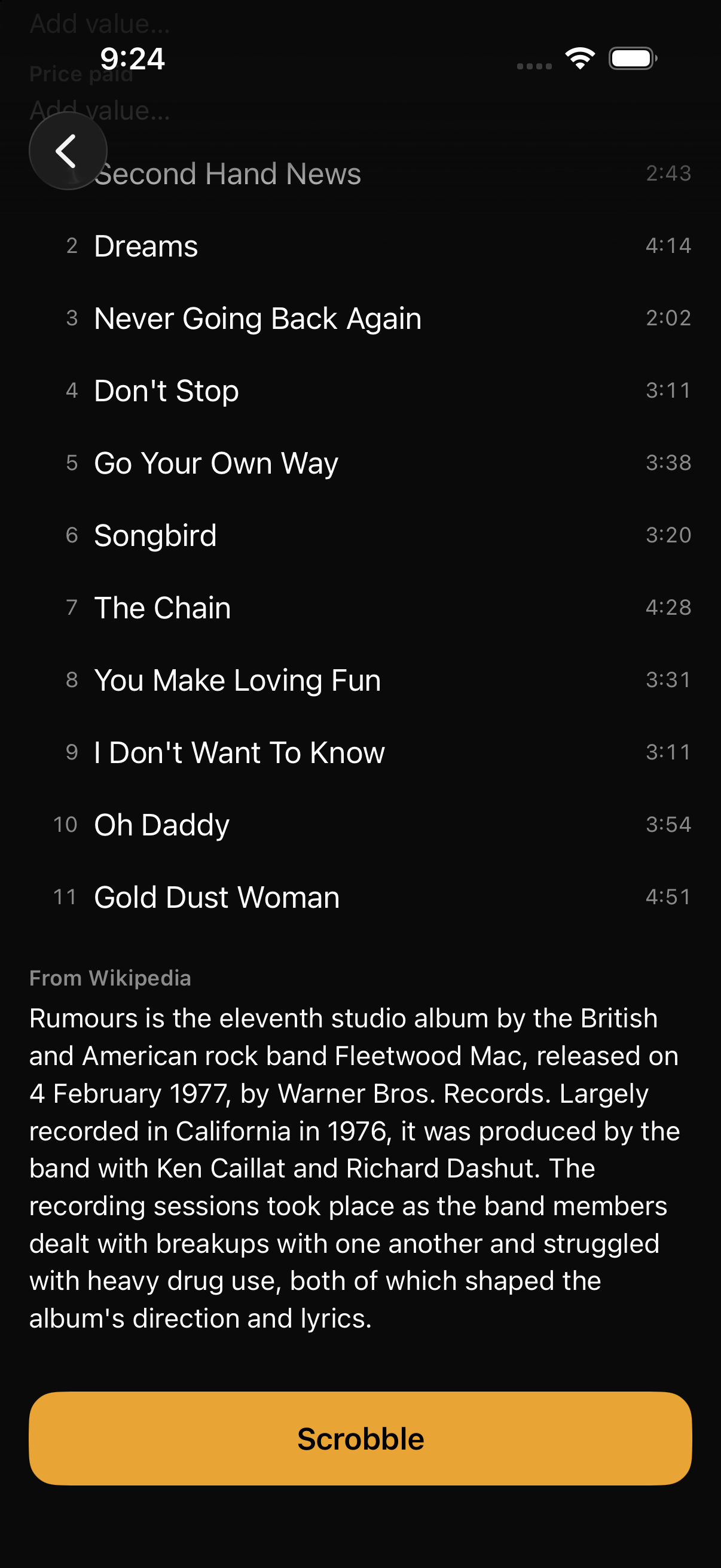
The album page brings together the tracklist, when you last scrobbled it, and the details you keep on Discogs.
- Your notes and collection fields
- Choose the Discogs fields you want on album pages in Settings > Collection fields. Search the list to find yours, then edit text or pick a dropdown value right in Discrobble. Changes save back to Discogs. Notes is selected initially; you choose which other fields to show.
- The folder it lives in
- Turn on Show collection folder in Settings > Display to see which Discogs folder the album is in. Tap the folder to move the album to another one, and the move saves to Discogs. If you own more than one copy, Discrobble shows and moves the first.
- A rating of your own
- Turn on album ratings in Settings to see your Discogs rating. Tap a star to set or change it, or tap the selected star to clear it. Your rating saves to your Discogs account.
- The story behind the album
- Read the full introduction from Wikipedia when a matching article is available, with a link to keep reading there.
- What's for sale
- See how many copies of your release are for sale on the Discogs Marketplace and the lowest asking price, then open the listings. You can hide marketplace details in Settings.
On your phone or by the turntable
Made for iPhone. At home on iPad.
On iPad, the collection grid makes room for more records. Album pages put the cover and tracklist side by side, in portrait or landscape, so you can browse while you listen.
Recently Scrobbled follows you between devices signed in to the same Last.fm account. Play something on your iPhone and it appears on your iPad too. Clearing that recent history in Settings clears it across your devices.
Your music, without the tracking.
Your Discogs sign-in tokens stay on your device, along with your cached collection. The app has no ads, analytics SDKs, third-party trackers, or crash reporting service. Apple handles the one-time purchase on your device.
To submit your plays and sync recent history, the Discrobble server keeps your encrypted Last.fm session key, both usernames, a scrobble count, and recent scrobbles. Delete your Discrobble account from Settings to remove your data from the app and its server. Read the privacy policy.
Before your first scrobble
How do I scrobble my Discogs collection to Last.fm?
Connect your Discogs and Last.fm accounts in Discrobble, let your collection sync, then find the record you're playing. Open it and tap Scrobble to submit its tracks to Last.fm. You can choose the whole album or a single disc or side.
Can I scrobble vinyl records and CDs?
Yes. Discrobble works with vinyl, CDs, cassettes, box sets, and other physical formats in your Discogs collection. It uses the release's tracklist to add your plays to Last.fm.
Does Discrobble recognize music automatically?
No. You select the record from your collection and tap Scrobble. Discrobble doesn't listen through your microphone or detect what's playing on your turntable or CD player.
Is Discrobble free?
The app is free to download, and your first 20 scrobbles are free. A one-time $4.99 in-app purchase unlocks unlimited scrobbling, with no subscription or ads. You can upgrade or restore your purchase in Settings.
Does Discrobble work on Android or in a web browser?
Discrobble is an iPhone and iPad app, requiring iOS or iPadOS 26 or newer. There isn't an Android or browser version. You'll need a Last.fm account and a public Discogs collection containing your records.
Try it with your next record.
Get Discrobble on the App StoreFor iPhone and iPad running iOS or iPadOS 26 or newer. You'll need free Last.fm and Discogs accounts, with a public Discogs collection containing your records.
Made by Rian van der Merwe, a collector who uses it too. Get in touch if something isn't working or there's something you'd like it to do.